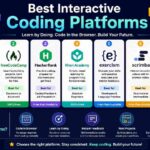
The challenge of selecting “the right coding platform to interest (and not bore) children” in the basics of programming. The correct one depends on the child’s age, reading ability, interests, way of learning and career goals.. While some platforms use bright, playful games and drag-and-drop visual blocks, others slowly introduce kids to popular languages, like Python and JavaScript, web development and even real-world project building. We’ve reviewed the best sites of 2026, free and paid – you can pick up from there.
Quick Comparison: Coding Platforms for Kids
| Platform | Best For | Typical Age | Learning Style | Cost |
|---|---|---|---|---|
| Scratch | Creative beginners | 8–16 | Block-based projects | Free |
| Code.org | Structured fundamentals | 5–18 | Courses + activities | Free |
| Tynker | Gamified learning | 7+ | Blocks + text coding | Paid/free options |
| CodeMonkey | Game-based programming | 5–14+ | Games + real code | From $7/month |
| CodaKid | Game development | 8+ | Project-based | From $29/month |
| CodeCombat | Kids who love games | 9+ | RPG + text coding | Free/paid |
| Kodable | Young beginners | 5–10 | Puzzle-based | Free/paid |
Pricing and plans can change. Check the platform before purchasing.
1. Scratch – Best Free Platform for Creative Kids
Scratch is probably one of the best ways for a child that desires to make games, animations or interactive stories to start. The free tool was developed in MIT and it allows children to program by linking together command blocks instead of having to use the traditional coding syntax. It’s mainly targeted to 8-16 year-olds but smaller kids will benefit a lot with their parents’ help. The biggest benefit is freedom; instead of just trying out exercise after exercise, kids will build their own projects and will receive feedbacks from other users and can also collaborate online.
Best for: Creative learners who enjoy storytelling, animation, and games.
Pros
- Free
- Beginner-friendly visual coding
- Large project community
- Encourages experimentation
Cons
- Parents may need to provide structure
- Children eventually need another platform if they want deeper text-based programming
2. Code.org – Best for Structured Learning
Parents and teachers seeking block coding platforms for their young learners are likely to find Code.org especially helpful.
The curriculum ranges from elementary level through high school: young children begin with activities based on block programming, while those who are older advance to learning about programming, building apps, game development, AI and computers. The Code.org platform currently hosts more than 100 free Hours of AI activities and includes curriculum designed for learners from kindergarten to 12th grade.
For those living in India in particular, the Code.org platform comes as the organization offers resources in computer science education free of charge and partners with educational initiatives in states like Maharashtra, Tamil Nadu, and Telangana.
Best for: Parents who want a curriculum-style learning experience.
Pros
- Free
- Strong educational structure
- Suitable for different age groups
- Includes AI and computer science activities
Cons
- Less open-ended than Scratch
- Some children may prefer more game-focused experiences
3. Tynker – Best for Gamified Coding
It pairs visual and block-based coding with complex coding. At Tynker, kids learn to design games, create websites, mod games like Minecraft, robot with electronics, master coding languages like Python and JavaScript and many more. Tynker said that it caters to the 7+ age group and is present in 150,000 schools worldwide, touching 100 million children with its system.
The current Tynker family plans are bundled with 1,000s of engaging activities, besides a smooth transition from block-coding to text-based coding.
It’s a good pick if a kid had the introductory games, but needs a thorough course. Best choice for children who are encouraged by playing games, need various projects and fun activities to motivate them.
4. CodeMonkey – Best for Learning Through Coding Games
CodeMonkey takes a game-first approach. Children solve challenges while learning programming concepts, gradually moving from visual activities to text-based coding.
Its curriculum is designed for grades K–8, with courses ranging from pre-reader block coding for ages 4–6 to Python and more advanced courses for older students.
For home users, current plans start at $7/month for one child when billed annually, while a family plan starts at $12/month. The platform also provides parent progress tracking and coding and AI courses.
Best for: Kids who learn better by playing games and solving challenges.
5. CodaKid – Best for Game Development
This might be an idea for a child that wants to make a game or application they consider “real.” CodaKid offers courses in popular languages and technologies (such as Python, JavaScript), and projects are focused on video games, Minecraft, Roblox and other creative applications. The self-paced All Access subscription is advertised as $29/month or $199/year. Best for: Minecraft/Roblox-loving children and kids who like hands-on, project-based learning.
6. CodeCombat – Best for Game-Loving Learners
CodeCombat: Gamifying codingCodeCombat puts kids in control as they navigate their characters by writing code rather than simply watching video tutorials. This approach is an engaging way for students who may be bored in traditional beginner coding tutorials. The CodeCombat uses actual coding languages like Python and Javascript and it tends to cater to older students in late elementary, middle and high school age.
Best for: Those who enjoy RPGs and seek to eventually move to text-based languages.
7. Kodable – Best for Younger Beginners
Younger children often need a very different introduction to programming. Kodable focuses on visual puzzles and game-like activities designed for early learners.
For children who are not yet ready to type code, this type of experience can teach sequencing, patterns, logic, and problem-solving without making programming feel like schoolwork.
Best for: Younger children who need simple, visual coding games for kids.
Which Coding Platform Is Best for Your Child?
There is no single best platform for every child.
| Your Child… | Start With |
|---|---|
| Is completely new to coding | Scratch or Code.org |
| Loves creating stories and animations | Scratch |
| Needs structured lessons | Code.org |
| Loves games and challenges | CodeMonkey or CodeCombat |
| Wants to build games | CodaKid or Tynker |
| Wants to learn Python | CodeMonkey, CodaKid or CodeCombat |
| Is younger and not reading confidently | Kodable or early CodeMonkey courses |
| Wants a longer learning pathway | Tynker or Code.org |
Block Coding vs. Text Coding: Which Should Kids Learn First?
For most young beginners, block-based coding is a sensible starting point.
Block coding lets children learn concepts such as:
- Sequences
- Loops
- Conditions
- Variables
- Events
- Debugging
- Problem-solving
They can learn these ideas without struggling with spelling, punctuation, or syntax.
Once a child understands those concepts, moving to text-based languages such as Python or JavaScript becomes easier.
The goal isn’t to keep a child on visual coding forever. The goal is to create a smooth progression from play → concepts → projects → real programming.
What Parents Should Check Before Choosing a Platform
Don’t choose a coding platform only because it has the most courses. Look at five factors.
1. Age and reading level
A platform designed for teenagers may frustrate a six-year-old. Check the recommended age and whether reading is required.
2. Learning format
Ask whether your child prefers games, independent projects, videos, puzzles, or live instruction.
3. Project output
Projects are important because children can see what they have accomplished. Look for platforms where kids build games, animations, websites, apps, or other tangible creations.
4. Parent visibility
Progress dashboards, lesson reports, and parental controls can make it easier to understand whether your child is actually learning.
5. Cost
Start with a free platform whenever possible. If your child stays interested, consider paying for a deeper curriculum.
Common Problems When Kids Start Coding
“My child gets bored quickly.”
Choose a project-based or game-based platform. Let your child build something they personally care about instead of forcing a predefined course.
“The coding looks too difficult.”
Move back one level. A child does not need to start with Python or JavaScript. Visual programming can build the underlying concepts first.
“My child only wants to play coding games.”
That’s not necessarily bad. Coding games can teach sequencing, logic, debugging, and problem-solving. Gradually encourage the child to create their own projects.
“I don’t know how to teach coding.”
You don’t have to be a programmer. Choose a platform with guided lessons, hints, progress tracking, or teacher support. Code.org, for example, provides self-paced learning options for children without requiring a parent to teach every lesson.
Frequently Asked Questions
Which coding platform is the most appropriate for children?
Scratch and Code.org are good starting points for many beginners on the grounds of accessibility and cost. Tynker, CodeMonkey, CodaKid, and CodeCombat also offer benefits to children as they age out and demand a more complex approach to games and texts.
At what age should children start coding?
Young children already can begin to grasp Computational Thinking and computer code with tools as simple as block codes or visual puzzles. Children 4-6 will learn very basic coding skills at CodeMonkey. While many sources advise waiting to show children the game editor in Scratch until 8, others recommend it for up to age 16.
Does Scratch cost money?
There is no charge to use Scratch at all.
It will be completely free forever on the primary kids site!
Should children learn python or scratch first?
If kids’ new to programming and young, learning scratch should prove simpler – kids don’t get the headaches that arise from syntax errors. When kids develop basic understanding with syntax, are able to easily read through them and can type well, the jump to Python is fairly intuitive.
Are gaming websites useful to kid coders?
Absolutely yes! Decent game-based education has transformed the building blocks of software into interactive problems.
However, it’s critical that children should not spend their learning time solely on completing missions or taking tests, but instead continue learning to generate their own content with what they learned.
Final Verdict
The “best” coding platforms for kids are not necessarily the ones that are the hardest. The best platform for your child is the one that’s fascinating enough that it makes them want to play and experiment more.
To get started:
* Free creative beginning: Scratch
* Structured computer science: Code.org
* Gamified progress: Tynker, CodeMonkey
* Kids getting into real game building: CodaKid
* Ready to go the next level with text coding: CodeCombat