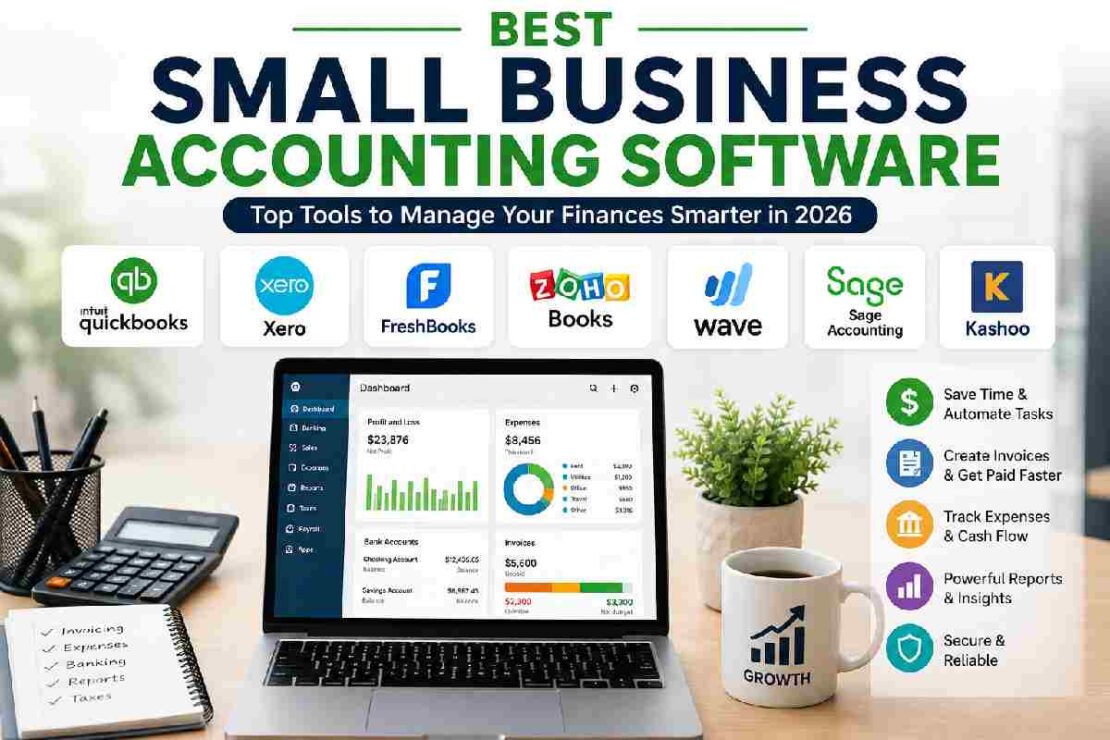
Small business accounting software can be a game changer, making all the difference between managing your invoices, expenses, cash flow, and even taxes with a breeze, versus feeling completely overwhelmed by it all. However, with numerous accounting solutions on the market today aimed at small businesses, determining which one is right for your company is easier said than done.
Beyond keeping track of incoming and outgoing payments, the best small business accounting software should significantly simplify your bookkeeping, provide financial insights and analytics, streamline invoicing and payment collection, and deliver timely financial reporting.
Today, many accounting platforms continue to dominate the market, including the best small business accounting software options in 2026 such as QuickBooks Online, Xero, FreshBooks, Wave, and Zoho Books. Which software option is the ideal fit depends on your small business’s growth plans, accounting needs, and budget, with options for the average small to medium business, as well as specific niches like service-based companies and freelancers.
We’ll review the top software options, evaluating each on key criteria such as ease of use, key features, affordability, scalability, and the small businesses they are best suited for.
Quick Comparison of the Best Small Business Accounting Software
| Accounting Software | Best For | Starting Price* | Free Plan | Key Strength |
|---|---|---|---|---|
| QuickBooks Online | Overall small business accounting | $38/month | No | Complete accounting features |
| Xero | Growing businesses | $25/month | No | Collaboration and scalability |
| FreshBooks | Freelancers and service businesses | $23/month | No | Invoicing and client management |
| Zoho Books | Budget-conscious businesses | $0 | Yes | Affordability and automation |
| Wave | Microbusinesses | $0 | Yes | Free basic accounting |
| Sage Accounting | Structured small business accounting | Varies | Trial/offer dependent | Accounting capabilities |
| Kashoo | Simple bookkeeping | Varies | Trial | Ease of use |
*Pricing can vary by country, plan, billing cycle, promotions, and optional add-ons. Always check the provider’s current pricing before purchasing.
Best Small Business Accounting Software in 2026
1. QuickBooks Online — Best Overall
Best for: Most small businesses
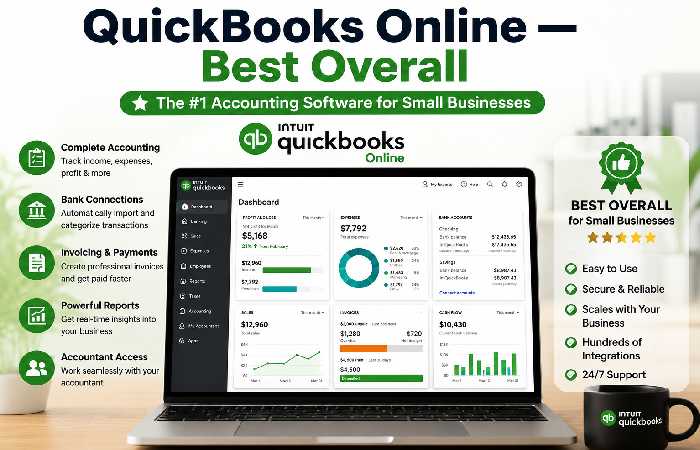
One of the most popular small business accounting options on the market is QuickBooks Online, and with good reason. This is an accounting solution that features an all-in-one platform for bookkeeping, invoicing, expenses, financial reporting, payments, integrations, and Accountant access.
Businesses anticipating more advanced accounting will have plenty of opportunities to grow with QuickBooks.
Main Features
Income and expense tracking
Online invoicing
Bank connections
Automatic classification of transactions
Financial statements
Bill management
Expense tracking
Receipt tracking
Accountant access
Business integrations
Payment processing
Mobile applications
One of QuickBooks Online’s greatest benefits is the ecosystem. Businesses may connect their accounting with payroll, payments, ecommerce, expenses, and other business programs.
Pros
- Comprehensive accounting features
- Large integration ecosystem
- Strong reporting
- Accountant-friendly
- Suitable for growing businesses
- Good automation options
Cons
- More expensive than some alternatives
- Advanced features may require higher plans
- Can feel overwhelming for complete beginners
Best for
QuickBooks Online is a good choice if you:
- Run an established small business
- Work with an accountant
- Need detailed financial reports
- Want extensive integrations
- Expect your business to grow
Our verdict: Best overall accounting software for most small businesses.
2. Xero — Best for Growing Businesses
Best for: Growing companies and collaborative teams
Xero one of the most dominant Xero are a really good QBO competitor that offer cloud based accounting and include facilities for invoicing, reconciling banks, spending, bills, reporting, projects and cash flows. Price wise Xero’s cheapest plan starts at around $25 a month in the US (though they run specials that bring that cost down initially). The real allure of Xero, especially for a business that’s in its growth phase, is their user licensing model – under a variety of their plans and in various countries they offer unlimited user access to your company data without you paying per head.
Key Features
- Bank reconciliation
- Online invoicing
- Expense tracking
- Bill management
- Financial reports
- Cash-flow forecasting
- Multi-currency accounting
- Project tracking
- Inventory capabilities
- Business integrations
- Accountant access
Pros
- Excellent collaboration
- Strong accounting features
- Good scalability
- Cloud-based
- Useful financial reporting
- Strong integration options
Cons
- Entry-level plans have transaction limitations
- Advanced features require higher plans
- Beginners may need time to learn the platform
Best for
Xero works particularly well for:
- Growing companies
- Agencies
- Ecommerce businesses
- Businesses with multiple users
- International businesses
- Companies that work closely with accountants
Our verdict: One of the best accounting platforms for businesses that expect to grow.
3. FreshBooks — Best for Freelancers and Service Businesses
Best for: Freelancers, consultants, agencies, and service providers
From FreshBooks: Since it’s built around the unique needs of service-based businesses, FreshBooks doesn’t just focus on accounting. It also highlights areas like invoicing, client management, expense tracking, time tracking, estimates, and how to get paid quickly. Which makes it a great choice if you’re a freelancer or professional who needs to send out invoices for your time or services.
Key Features
- Professional invoicing
- Estimates
- Online payments
- Expense tracking
- Time tracking
- Client management
- Project management
- Recurring invoices
- Financial reports
- Receipt management
Pros
- Easy-to-use interface
- Excellent invoicing tools
- Good for service businesses
- Useful client management features
- Time tracking
- Project profitability tools
Cons
- Less suitable for complex inventory
- Costs can increase with additional users
- Some advanced capabilities require higher plans
Best for
FreshBooks is a strong choice for:
- Freelancers
- Consultants
- Designers
- Developers
- Photographers
- Marketing agencies
- Coaches
- Professional service businesses
Our verdict: Best accounting and invoicing solution for many service-based businesses.
4. Zoho Books — Best Affordable Accounting Software
Best for: Budget-conscious small businesses
Zoho Books is an attractive option for businesses that want comprehensive accounting features without immediately committing to a high monthly subscription.
One of its biggest advantages is pricing. Zoho Books offers a free plan in the U.S. for eligible businesses, while paid plans add more users, automation, inventory, projects, and advanced financial capabilities.
Key Features
- Invoicing
- Expense tracking
- Bank reconciliation
- Vendor management
- Purchase orders
- Sales orders
- Inventory
- Multi-currency support
- Project tracking
- Timesheets
- Financial reports
- Workflow automation
- Cash-flow forecasting
Pros
- Affordable
- Free plan available
- Strong automation
- Good inventory features
- Scales with business growth
- Integrates with the Zoho ecosystem
Cons
- Some advanced features require higher plans
- Interface can take time to learn
- Certain features vary by country
Best for
Zoho Books is particularly suitable for:
- Startups
- Freelancers
- Small agencies
- Ecommerce businesses
- Budget-conscious businesses
- Businesses already using Zoho applications
Our verdict: One of the best options for businesses looking for strong features at a reasonable price.
5. Wave — Best Free Accounting Software
Best for: Microbusinesses, freelancers, and very small service businesses
What’s impressive about Wave is that it enables small businesses to get started with their accounting at no monthly cost. Free-to-use Starter package includes invoices, estimates, bills, books, and many other fundamental finance business components. Plus, businesses looking for automation and payments integration options would also be able to use some additional functions in paid package(s).Key Features
- Invoicing
- Estimates
- Expense tracking
- Basic bookkeeping
- Receipt management
- Customer management
- Online payments
- Financial records
Pros
- Free Starter plan
- Simple for small businesses
- Good for basic bookkeeping
- Useful invoicing tools
- Low barrier to entry
Cons
- Advanced accounting features are limited
- Payment processing fees apply
- Not ideal for complex businesses
- Less suitable for businesses with advanced inventory needs
Best for
Wave is ideal for:
- Solo entrepreneurs
- Freelancers
- Side businesses
- New businesses
- Microbusinesses
- Small service providers
Our verdict: One of the best choices when keeping accounting software costs as low as possible is the priority.
Best Small Business Accounting Software Compared
Choosing between accounting platforms becomes easier when you compare them based on the features you actually need.
| Feature | QuickBooks | Xero | FreshBooks | Zoho Books | Wave |
|---|---|---|---|---|---|
| Income tracking | Yes | Yes | Yes | Yes | Yes |
| Expense tracking | Yes | Yes | Yes | Yes | Yes |
| Invoicing | Yes | Yes | Yes | Yes | Yes |
| Bank reconciliation | Yes | Yes | Yes | Yes | Plan dependent |
| Financial reports | Yes | Yes | Yes | Yes | Basic |
| Receipt management | Yes | Yes | Yes | Yes | Yes |
| Inventory | Yes | Yes | Limited | Yes | Limited |
| Project tracking | Yes | Yes | Yes | Yes | Limited |
| Multi-currency | Yes | Yes | Yes | Higher plans | Limited |
| Accountant access | Yes | Yes | Yes | Yes | Yes |
| Free plan | No | No | No | Yes | Yes |
| Mobile app | Yes | Yes | Yes | Yes | Yes |
Feature availability can vary according to subscription plan and country.
What Should You Look for in Accounting Software?
The best bookkeeping software isn’t necessarily the platform with the most features.
Instead, look for tools that solve your everyday financial problems.
1. Automated Bookkeeping
Automation can save significant time.
Look for software that can:
- Import bank transactions
- Categorize expenses
- Match payments
- Reconcile transactions
- Create recurring invoices
- Send payment reminders
The less manual data entry you need to perform, the easier it becomes to maintain accurate books.
2. Invoicing
For businesses that depend on customer payments, invoicing is one of the most important features.
A good invoicing system should allow you to:
- Create professional invoices
- Add payment terms
- Send invoices by email
- Accept online payments
- Track unpaid invoices
- Send reminders
- Create recurring invoices
3. Expense Tracking
Business owners should be able to quickly record and categorize expenses.
Useful expense features include:
- Receipt capture
- Bank feeds
- Automatic categorization
- Recurring expenses
- Expense reports
- Mileage tracking
4. Bank Reconciliation
Bank reconciliation helps you compare the transactions in your accounting system with transactions recorded by your bank.
This can help identify:
- Missing transactions
- Duplicate entries
- Incorrect amounts
- Incorrect categories
- Unrecorded payments
For businesses with many transactions, automated reconciliation can save considerable time.
5. Financial Reporting
At a minimum, look for access to reports such as:
- Profit and loss
- Balance sheet
- Cash flow
- Accounts receivable
- Accounts payable
- General ledger
These reports help you understand where your business stands financially.
How Much Does Small Business Accounting Software Cost?
Accounting software can cost anywhere from $0 to well over $100 per month, depending on the features and number of users you need.
Free accounting software
Free plans can work well for:
- Freelancers
- Side businesses
- Microbusinesses
- Businesses with simple finances
Wave and Zoho Books both offer free options in the U.S.
Budget accounting software
The $15–$30 monthly range is often attractive for small businesses that need more than basic bookkeeping.
Mid-range accounting software
Platforms costing around $30–$60 per month can offer more comprehensive accounting, reporting, automation, and collaboration features.
Advanced plans
Larger or more complex businesses may spend $60–$150+ per month when they need:
- Inventory
- Advanced reporting
- Multiple currencies
- Project accounting
- Additional users
- Advanced automation
Remember that the subscription price isn’t always the total cost.
You may also need to pay for:
Accounting software + payroll + payment processing + additional users + add-ons
Free vs Paid Accounting Software: Which Is Better?
Free accounting software can be an excellent starting point, but it isn’t automatically the best option.
Choose free software if:
- You’re a solo business owner
- Your finances are simple
- You have relatively few transactions
- You mainly need invoicing and expense tracking
- You don’t require advanced reporting
Choose paid software if:
- Your business is growing
- You have employees
- You need detailed reports
- You have inventory
- You work with an accountant
- You want more automation
- You have multiple users
A useful rule is simple:
Pay for automation when the time it saves is worth more than the monthly subscription.
Which Accounting Software Is Best for Different Businesses?
Best Accounting Software for Freelancers
FreshBooks and Wave are strong choices.
FreshBooks is better when client management, time tracking, and professional invoicing are important.
Wave is attractive if you want to minimize your monthly software costs.
Best Accounting Software for Startups
Zoho Books and QuickBooks Online are both worth considering.
Zoho Books can provide strong value for startups watching their budgets.
QuickBooks may be a better long-term choice for businesses expecting more complex accounting requirements.
Best Accounting Software for Ecommerce
QuickBooks Online and Xero are strong choices for ecommerce businesses.
Look for:
- Inventory management
- Ecommerce integrations
- Payment reconciliation
- Sales tax tools
- Purchase management
- Multi-channel reporting
Don’t choose ecommerce accounting software based only on its monthly price. Integration capabilities can be just as important.
Best Accounting Software for Agencies
FreshBooks, Xero, and QuickBooks Online are all worth considering.
Agencies often need:
- Client invoicing
- Time tracking
- Project management
- Expense tracking
- Profitability reporting
- Multiple users
Best Accounting Software for Growing Businesses
QuickBooks Online and Xero are the strongest options on this list for businesses that expect their accounting requirements to become more sophisticated.
Both offer room to expand beyond basic bookkeeping.
How to Choose the Best Small Business Accounting Software
Follow these steps before signing up.
Step 1: Identify Your Business Type
Start by identifying how your business makes money.
Are you a:
- Freelancer?
- Consultant?
- Retailer?
- Ecommerce seller?
- Agency?
- Contractor?
- Professional service provider?
- Manufacturer?
Different businesses have different accounting requirements.
Step 2: Identify Your Must-Have Features
Make a list before comparing software.
For example:
I need invoicing, bank reconciliation, receipt scanning, project tracking, and financial reports.
Now compare platforms against those requirements.
Step 3: Check the Total Cost
Don’t compare only the advertised starting price.
Calculate:
Monthly subscription + add-ons + payroll + payment processing + additional users
This gives you a more realistic estimate of what the accounting system will cost.
Step 4: Consider Your Accountant
If you already work with an accountant or bookkeeper, ask which platforms they prefer.
Using software your accountant already understands can make collaboration easier and reduce unnecessary training.
Step 5: Test the Software
If a free trial is available, use it.
Don’t just browse the dashboard.
Actually perform your regular tasks.
Try to:
- Create an invoice.
- Record an expense.
- Connect a bank account.
- Reconcile a transaction.
- Generate a profit-and-loss report.
If those tasks feel unnecessarily complicated, consider another option.
Step 6: Think About Future Growth
Don’t choose software solely around today’s requirements.
Ask:
Will this software still work if my revenue doubles?
Will it support additional employees?
Can my accountant access it?
Can it integrate with other business tools?
A slightly more capable platform today may prevent a painful software migration later.
Common Accounting Software Mistakes to Avoid
Choosing Only Based on Price
A cheap platform isn’t a bargain if you spend hours every month manually correcting transactions.
Paying for Features You Don’t Need
A freelancer may not need advanced inventory management.
A retail business, however, might depend on it.
Choose according to your business model.
Ignoring Integrations
Your accounting system rarely operates alone.
Check whether it works with your:
- Bank
- Payment processor
- Ecommerce platform
- Payroll system
- CRM
- Inventory system
- Expense management tools
Forgetting About Data Migration
If you eventually change platforms, you’ll need to move financial information.
Check whether the software supports importing and exporting:
- Customers
- Vendors
- Transactions
- Chart of accounts
- Invoices
- Bills
- Opening balances
How to Set Up a Small Business Bookkeeping System
Once you’ve selected your software, the next step is setting it up correctly.
1. Create Your Business Profile
Enter your:
- Business name
- Business address
- Tax information
- Financial year
- Currency
- Contact information
2. Connect Your Bank Accounts
Connecting your business bank account allows transactions to flow into the accounting platform automatically.
Make sure you connect the correct business accounts.
3. Set Up Your Chart of Accounts
Your chart of accounts organizes financial transactions into categories.
Common categories include:
- Sales
- Advertising
- Rent
- Software
- Travel
- Office supplies
- Professional services
- Bank fees
- Payroll
Don’t create hundreds of categories unless your business genuinely needs them.
4. Add Customers and Vendors
Import existing customer and vendor information where possible.
This saves time and makes invoicing and expense tracking easier.
5. Create Your Invoices
Set up:
- Business logo
- Payment terms
- Accepted payment methods
- Invoice numbering
- Tax information
- Late-payment policies
6. Reconcile Regularly
Don’t wait until tax season.
Review and reconcile transactions regularly so errors don’t accumulate.
Troubleshooting Common Accounting Software Problems
Why aren’t my bank transactions matching?
Check for:
- Duplicate transactions
- Incorrect dates
- Incorrect amounts
- Manually entered transactions
- Incorrect categories
- Broken bank connections
Avoid repeatedly reconnecting your bank account without first checking the underlying transactions.
Why does my profit look incorrect?
Review:
- Income categories
- Expense categories
- Duplicate transactions
- Unreconciled transactions
- Loan payments
- Owner withdrawals
- Inventory transactions
Incorrect bookkeeping can produce misleading financial reports even when the software itself is working correctly.
Why hasn’t an invoice been marked as paid?
Check whether the payment:
- Was recorded against the correct customer
- Was applied to the correct invoice
- Was assigned to the correct bank account
- Was accidentally entered twice
What if I want to switch accounting software?
Plan the migration before canceling the old system.
Review:
- Opening balances
- Customers
- Vendors
- Bank accounts
- Outstanding invoices
- Outstanding bills
- Historical transactions
- Chart of accounts
For complicated businesses, consider working with an accountant during the migration.
Is Cloud Accounting Software Better?
For many small businesses, cloud-based accounting software is now the more convenient option.
Benefits of cloud accounting
- Access from anywhere
- Automatic software updates
- Easier collaboration
- Cloud backups
- Mobile applications
- Integration with other business tools
- Easier accountant access
The main requirement is a reliable internet connection.
For most new businesses, online accounting software provides the flexibility they need without requiring local installation and maintenance.
Accounting Software Security
Accounting software contains important financial information, so security should be part of your buying decision.
Look for:
- Two-factor authentication
- User permissions
- Encryption
- Secure bank connections
- Audit logs
- Backup systems
- Data export options
- Account recovery tools
Don’t give every employee full administrator access.
Instead, give each user only the permissions they need to complete their work.
Best Small Business Accounting Software: Our 2026 Ranking
Based on features, usability, pricing, scalability, and different business requirements, our overall ranking is:
| Rank | Software | Best For |
|---|---|---|
| 1 | QuickBooks Online | Best overall |
| 2 | Xero | Growing businesses |
| 3 | Zoho Books | Best value |
| 4 | FreshBooks | Service businesses |
| 5 | Wave | Free accounting |
Keep in mind that this ranking isn’t a universal rule.
The best software for a freelancer may be completely different from the best platform for an ecommerce company.
Frequently Asked Questions
What is the best small business accounting software?
QuickBooks Online is one of the strongest overall choices for small businesses because it combines accounting, invoicing, reporting, integrations, automation, and accountant collaboration.
However, Xero, FreshBooks, Zoho Books, and Wave can be better choices depending on your business model and budget.
What is the cheapest accounting software for small businesses?
Wave and Zoho Books both offer free plans in the U.S. However, free plans may have feature, usage, or eligibility limitations.
Is QuickBooks worth it for a small business?
QuickBooks can be worth the investment if you need comprehensive accounting features, detailed reporting, integrations, automation, and accountant collaboration.
For a very small business with simple finances, a less expensive option may provide better value.
Is Xero better than QuickBooks?
Neither is universally better.
Xero can be a strong choice for collaborative and growing businesses, while QuickBooks is attractive for businesses that want a broad accounting ecosystem and extensive accountant support.
Is free accounting software safe?
Free accounting software can be a practical choice, but you should still evaluate security, support, integrations, data export, and the limitations of the free plan.
What accounting software is easiest for beginners?
Wave and FreshBooks are generally approachable for beginners with simple businesses. QuickBooks and Xero provide more advanced capabilities for businesses that need deeper accounting functionality.
Do freelancers need accounting software?
Freelancers can manage very simple finances manually, but accounting software becomes increasingly useful as they gain more clients, send more invoices, track expenses, and prepare tax records.
Can accounting software replace an accountant?
Accounting software can automate many bookkeeping tasks, but it doesn’t necessarily replace professional accounting advice.
An accountant can help with:
- Tax planning
- Complex tax returns
- Compliance
- Financial strategy
- Business structure
- Forecasting
- Complex transactions
For many businesses, the best approach is to use accounting software alongside an accountant.
Final Verdict
The best small business accounting software depends on what your business actually needs.
QuickBooks Online is our top overall choice for businesses that want comprehensive accounting and room to grow.
Xero is an excellent option for growing and collaborative businesses.
FreshBooks is particularly useful for freelancers and service providers that depend heavily on invoicing and client management.
Zoho Books provides an impressive combination of affordability, automation, and accounting functionality.
Wave is an attractive choice for microbusinesses that want to start with free accounting tools.
Before making a decision, don’t simply ask which software has the highest rating or lowest price. Consider your business model, transaction volume, required features, accountant relationship, integrations, and future growth.
The best accounting system is ultimately the one that keeps your books organized, reduces manual work, provides reliable financial information, and fits your budget as your business grows.