Last Updated: July 12, 2026
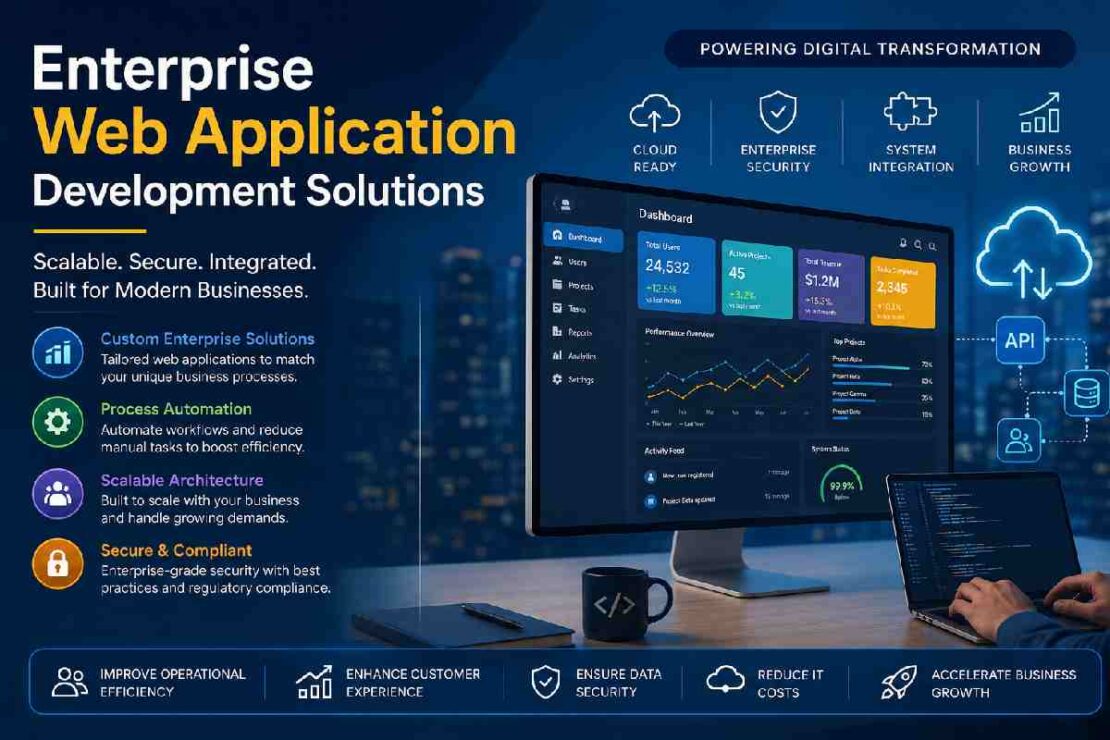
Today, almost any enterprise needs to develop enterprise web applications for internal operational automation, improved business collaboration, automating work processes, and managing business long-term online presence and scalability.
If your organization employs many employees, or has thousands of clients globally, or need to tie multiple enterprise systems together, enterprise web development will surely give you the needed flexibility. Unlike a regular business website, an enterprise web application can cater to complex processes, manage a huge amount of users and access levels, meet a lot of security regulations and integrates with multiple other applications of your organization.
This guide outlines the main concepts of the enterprise web development and application development such as what an enterprise web application is, benefits of these apps, their structure, technologies and implementation as well as recommendations for 2026
What Are Enterprise Web Applications?

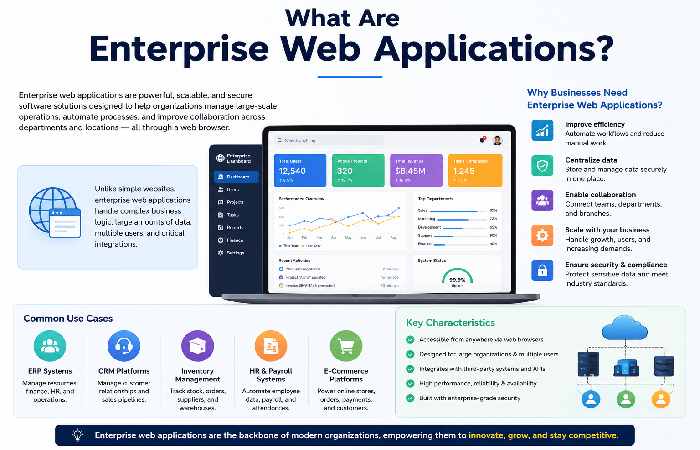
Web enterprise application – complex application developed to address needs across various departments, teams and locations. Enterprise web application is also defined as system used by businesses for various purpose across different business department, teams, units, etc. A web enterprise application consist of several interconnected components.
There are many types of web enterprise application.
Few common types: – Enterprise Resource Planning(ERP) – Customer Relationship Management(CRM) – Human Resource Management system(HRMS) – Inventory management application – supply chain management systems – Finance management system – healthcare portal application – Learning management systems – banking application Compared to customer application, they work to ensure security, reliability and auto process.
Why Businesses Choose Enterprise Web Application Development Services
The amount organizations spend on building custom enterprise software is rising and is largely due to it suiting how the business operates, rather than having teams trying to modify off the shelf software for existing workflows.
Top benefits of custom enterprise software include: • Operational Efficiency • Business process automation • Enhanced customer experience • Increased productivity • Centralised data management • Seamless collaboration • Compliance • Long-term scalability • Reduced operating costs
Enterprise Software Solutions vs Traditional Software
| Feature | Traditional Software | Enterprise Software |
|---|---|---|
| Users | Small teams | Thousands of users |
| Scalability | Limited | Very High |
| Security | Standard | Enterprise-grade |
| Integration | Limited | Extensive |
| Automation | Basic | Advanced |
| Cloud Support | Optional | Essential |
| Customization | Low | High |
| Performance | Moderate | Optimized for large workloads |
Enterprise Application Development Process
A successful enterprise solution follows a structured development lifecycle.
1. Business Requirement Analysis
Developers identify:
- Current workflows
- Pain points
- Existing software
- Compliance requirements
- Business goals
2. Architecture Planning
Typical enterprise architecture includes:
- Frontend
- Backend APIs
- Database
- Authentication
- Cloud infrastructure
- Third-party integrations
3. UI/UX Design
Enterprise applications prioritize:
- Simple dashboards
- Role-based navigation
- Mobile responsiveness
- Accessibility
- Faster workflows
4. Development
Common technologies include:
Frontend
- React
- Angular
- Vue
Backend
- ASP.NET Core
- Java Spring Boot
- Node.js
- Python Django
Databases
- PostgreSQL
- SQL Server
- MongoDB
Cloud Platforms
- AWS
- Microsoft Azure
- Google Cloud
5. Testing
Testing includes:
- Security testing
- Load testing
- Performance testing
- API testing
- Integration testing
- User acceptance testing
6. Deployment
Modern enterprise software uses:
- CI/CD pipelines
- Docker
- Kubernetes
- Cloud infrastructure
Business Process Automation
Automation removes repetitive manual work.
Examples include:
- Invoice approvals
- Employee onboarding
- Leave management
- Customer support tickets
- Sales approvals
- Procurement workflows
- Email notifications
- Reporting
Automation reduces human error while increasing efficiency.
Cloud-Based Enterprise Applications
Cloud deployment continues to dominate enterprise software development in 2026.
Benefits
- Lower infrastructure costs
- Remote accessibility
- Automatic backups
- Disaster recovery
- Better scalability
- High availability
- Global deployment
Cloud native apps adjust seamlessly to meet the spikes of high business demand. Business Application Integration dozens of software platforms run together simultaneously in modern enterprise. Enterprise integration system that can connect:
- CRM
- ERP
- Accounting software
- HR systems
- Marketing platforms
- Payment gateways
- Identity providers
- Business intelligence tools
Common integration methods include:
- REST APIs
- GraphQL
- Webhooks
- Enterprise Service Bus (ESB)
- Message queues
Multi-Tenant Web Applications
A multi-tenant architecture, the shared-application, isolated-data solution multiple tenants have all access to a single app while their data is isolated. Multi-tenancy’s greatest strength is its ability to support the same application from one instance of the software infrastructure without having it collide. Advantages reduced infrastructure costs reduced support and maintenance easier maintenance quicker updates Improved scalabilty speedier onboarding This applies to anySaaSapplication where several different business entities can benefit from a shared database, such as accounting applications,CRMs,and project management software.
Enterprise security best practices Security must be one of the most crucial factors when developing any enterprise software.
Below are a few best practices to incorporate: Multi-factor Authentication (MFA) Single Sign-On (SSO) Role-Based Access Control (RBAC) End-to-End Encryption Secured API Gateways Perform Routine penetration tests End-to-end application encryption Database encryption Perform audits regularly Security monitoring Zero Trust Architecture
Digital Transformation with Web Applications
Enterprise web applications are crucial for digital transformation – in lieu of tedious, paper-based or stand-alone solutions, centralized platforms streamline operations and: – Enable quicker decisions – Provide better customer experiences – Supply real-time insights – Lower operating expenses – Enhance collaboration – Promote data-driven decision-making
Enterprise Development Trends (2026)
| Trend | Business Impact |
|---|---|
| AI-powered automation | Very High |
| Low-code integrations | High |
| Cloud-native development | Very High |
| Multi-cloud deployment | High |
| Zero Trust Security | Very High |
| Predictive analytics | High |
| Intelligent chatbots | Medium |
| Edge computing | Growing |
Recommended Enterprise Tech Stack
| Layer | Technologies |
|---|---|
| Frontend | React, Angular, Vue |
| Backend | .NET, Java, Node.js |
| Database | PostgreSQL, SQL Server, MongoDB |
| Authentication | OAuth 2.0, OpenID Connect |
| APIs | REST, GraphQL |
| Cloud | AWS, Azure, Google Cloud |
| Containers | Docker |
| Orchestration | Kubernetes |
| CI/CD | GitHub Actions, Azure DevOps, Jenkins |
Common Challenges and Solutions
| Challenge | Solution |
|---|---|
| Legacy system integration | API middleware and microservices |
| Slow performance | Caching, CDN, database optimization |
| Security risks | Zero Trust, MFA, encryption |
| Scaling issues | Cloud auto-scaling and load balancing |
| Data silos | Enterprise integration platform |
| User adoption | Intuitive UI and employee training |
Troubleshooting Enterprise Web Applications
Application is Slow
- Optimize SQL queries.
- Enable caching.
- Scale cloud resources.
- Use a CDN for static assets.
Users Cannot Log In
- Verify identity provider settings.
- Check SSO configuration.
- Reset authentication tokens.
- Review RBAC permissions.
Integration Errors
- Validate API endpoints.
- Check authentication keys.
- Monitor webhook logs.
- Review rate limits.
FAQ
What are Enterprise Web Application Development Services?
Enterprise web app development services cover all stages, starting from ideation to designing, developing, implementing, and maintaining of highly secured and scalable web solutions to facilitate various business processes.
Why Custom Enterprise Web App Development?
A custom application can be able to take on your unique workflows, communicate smoothly with other business applications, and readily adjust as your business scales up and grows. Top enterprise application development tech What are common tech stacks in enterprise app development? Front-end: React, Angular Back-end: Node.js, ASP.NET Core, Java Spring Boot Database: PostgreSQL, SQL Server Cloud & deployment: Docker, Kubernetes & any cloud providers (AWS, Azure, GCP) How long does it take to develop an enterprise application? Enterprise application development typically takes 4-12 months depending on project scope and complexity.
What Is a Multi- tenant Web Application?
It is an architecture where the same application instance and server infrastructure serve many tenants, where each tenant has a shared copy and yet the application can independently manipulate some part of it.
What makes security vital in an Enterprise App?
In an enterprise application, security shouldn’t be a question, it must be a part of the solution and the following features should be implemented. Multi-factor authentication, Role-based access control (RBAC), Data encryption at rest and in transit, Secure API-to-API communication, Regular vulnerability scanning and penetration testing,Continuous monitoring of systems.
Conclusion
Enterprise web application development doesn’t just end up in a code. It transforms the enterprises that look to maximize productivity, boost up the pace of innovation and quickly accommodate their changing requirements. The robust applications are built based on the scalable and cloud-native architecture with embedded security and a strong ecosystem of integrations. These digital solutions empower the businesses with long-term success, better integration of workflows and maximum usage of modern-day technologies such as Artificial Intelligence and automation.