Introduction
In 2026 and beyond, custom web application development is a vital strategic investment for companies in the health and financial services, manufacturing, retail, e-commerce, and all other business sectors that seek scalable, reliable and cost-effective software. When you don’t use a package solution and instead opt to build a unique application from scratch to integrate with the current company workflow and business requirements, the custom software will perfectly meet the needs of your business and customers, ensuring maximum long-term success. Modern web apps can facilitate numerous business processes that will significantly ease the operation for companies, be it managing customer relationships (CRM), planning resources for a whole enterprise (ERP) or providing services based on a subscription model (SaaS), also to integrate innovative features and emerging technology like AI and cloud computing. Whether you have an idea for a new digital product to launch in the near future or you are an existing business to upgrade the current system to the last modern one to meet your present and future goals.
What Is Custom Web Application Development?

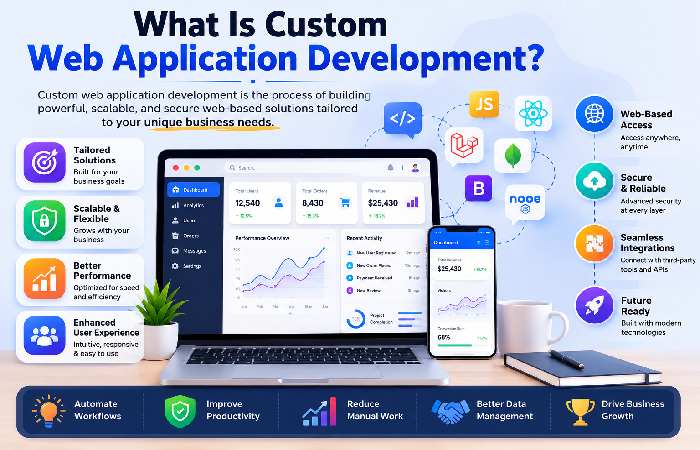
The service that is concerned with the whole lifecycle for building the design, the development, the implementation, and the ongoing support of web-based applications which will fulfil any requirement of any organization or business. A custom web app will be developed around the workflow, the business processes, your users and business requirements, and the level of integration with other systems, whereas a one-size-fits-all solution will not.
Examples include:
- Customer portals
- Employee dashboards
- Inventory management systems
- Online booking platforms
- Learning management systems
- Financial reporting tools
- Healthcare patient portals
- Real estate management systems
Users don’t need to install anything, since these cloud-hosted applications are accessed in a web browser. As the products are accessible in the cloud, it’s possible to access these applications securely for employees and customers anywhere on earth.
Key Characteristics
- Tailored functionality
- Secure user authentication
- Cloud accessibility
- Scalable architecture
- Third-party integrations
- Responsive design
- Centralized data management
Why Businesses Choose Custom Web Applications
The operational processes of a business vary from business to business. If you try to force your processes through an off-the-shelf software then it creates in efficiencies and unwanted compromises. A custom built web application flips this equation – the software becomes the fit for your business.
Common Business Challenges Solved
| Business Challenge | Custom Web Application Solution |
| Manual workflows | Process automation |
| Disconnected systems | Centralized platform |
| Data duplication | Single source of truth |
| Limited scalability | Cloud-native architecture |
| Security concerns | Custom security controls |
| Poor customer experience | Personalized interfaces |
| Limited reporting | Real-time dashboards |
It gives organizations flexibility to roll out new features over time to meet their changing business needs.
How Custom Web Applications Work
The common architecture of a modern custom web app comprises a three-tier design:
1. Front-End
User Interface ( UI ). This is what you get to see as user. It consists of:
- User interface (UI)
- Navigation
- Forms
- Dashboards
- Reports
- Interactive elements
Common technologies include React, Angular, Vue.js, and HTML5/CSS3.
2. Back-End
The back-end handles the application’s business logic, such as:
- User authentication
- Data processing
- Payment processing
- Notifications
- API integrations
- Security
Popular back-end technologies include Node.js, Python, Java, .NET, and PHP.
3. Database
The database stores application data, including:
- Customer information
- Orders
- Inventory
- Financial records
- Analytics
Common databases used here include PostgreSQL, MySQL, MongoDB and Microsoft SQL server. The best databases for your requirements will depend on several factors. Type of Custom web applications Different businesses have various needs and these are matched by specific types of custom applications. Below is an overview of common web applications.
Business Web Applications
Designed to streamline internal operations.
Examples:
- HR portals
- Expense management
- Payroll systems
- Project management platforms
Customer Portals
Allow customers to:
- Track orders
- Download invoices
- Submit support tickets
- Manage subscriptions
- Update profiles
Enterprise Applications
Large-scale systems supporting multiple departments.
Examples:
- ERP platforms
- CRM systems
- Procurement portals
- Supply chain management
SaaS Platforms
Software delivered over the internet on a subscription basis.
Examples include:
- Project management tools
- Marketing automation
- Accounting software
- Collaboration platforms
E-Commerce Applications
Modern online stores with advanced capabilities like:
- Personalized recommendations
- Real-time inventory
- Secure payments
- Customer accounts
- Analytics dashboards
Progressive Web Applications (PWAs)
PWAs offer web-wide accessibility and an app-like user experience. This makes the web available on all devices without native mobile apps for a better offline experience and push notification integration.
Businesses aiming for wider customer access often leverage this popular technology to enhance engagement.
Benefits of Custom Web Applications
Here’s how custom web development drives lasting business value and a host of tangible benefits.
1. Works Around Your business
Whether you want to automate existing processes or streamline entirely new ones, the application is custom-tailored to reflect your processes, nomenclature and business models – no need to alter how you operate.
2. Scalability
As your business grows, your application can evolve by adding:
- New modules
- Additional users
- Integrations
- Automation
- AI-powered features
This avoids the limitations often encountered with packaged software.
3. Improved Security
The utilization of custom applications permits companies to enact specific security protocols matching their particular risk level.
Common features include:
- Multi-factor authentication
- Role-based access control
- Encryption
- Audit logs
- Secure APIs
- Compliance support
4. Better User Experience
Applications designed for your audience reduce friction and improve productivity.
Benefits include:
- Faster navigation
- Simplified workflows
- Personalized dashboards
- Responsive layouts
- Accessibility support
5. Integration with Existing Systems
Most organizations already rely on multiple software tools.
Custom web applications can integrate with:
- Accounting software
- Payment gateways
- CRM platforms
- ERP systems
- Marketing tools
- Inventory software
- Cloud storage
- Communication platforms
This eliminates manual data entry and improves operational efficiency.
6. Long-Term Cost Efficiency
While the upfront cost of an application is generally higher than an off-the-shelf application, long-term application costs are actually reduced, because…
The licensing fees will never increase
Less manual labor is needed
Productivity will increase
You’ll eliminate redundant software applications
The applications will expand with your company, rather than forcing you into expensive migrations
Comparison: Custom vs Off-the-Shelf Web Applications
| Feature | Custom Web Application | Off-the-Shelf Software |
| Tailored Features | Fully customized | Limited |
| Scalability | High | Moderate |
| Ownership | Full control | Vendor controlled |
| Integrations | Unlimited | Limited |
| Security | Customizable | Standard |
| Maintenance | Business-controlled | Vendor-controlled |
| Initial Cost | Higher | Lower |
| Long-Term ROI | Higher | Moderate |
Custom Software vs Web Applications: Understanding the Difference
It is an easy to get mixed up but not a true assumption among business owners that there is a huge distinction between custom software development as well as custom web application development. The main differentiator lies in how the applications are used, implemented, how upkeep procedures run and just how scalable they are for a business as it continues to grow. Having these distinctions in mind will enable the business to find the best solution for their specific job needs and for the people they hope to employ, in addition to future development growth.
What Is Custom Software?
Custom software is a dedicated application developed for a specific organization or business process. It may be installed on local computers, company servers, or private cloud infrastructure and often requires installation on each device.
Examples include:
- Manufacturing production systems
- Hospital management software
- Desktop accounting applications
- CAD engineering software
- POS systems
- Banking software
These solutions often require operating system compatibility, manual updates, and local maintenance.
What Is a Custom Web Application?
A custom web application is a software program which resides within a web browser, typically hosted upon the web and cloud infrastructure. You or anyone you invite, just goes to a URL, logs in, and they are able to access your software from almost anywhere.
Examples include:
- Employee portals
- Customer dashboards
- Online booking systems
- Inventory management platforms
- Project management software
- Learning Management Systems (LMS)
- Client portals
Since everything runs through the browser, updates are deployed centrally without requiring users to install new versions.
Custom Software vs Web Application Comparison
| Feature | Custom Software | Custom Web Application |
| Installation Required | Yes | No |
| Browser Based | No | Yes |
| Remote Access | Limited | Anywhere with internet |
| Maintenance | Individual devices | Centralized |
| Automatic Updates | Rare | Yes |
| Scalability | Moderate | Excellent |
| Cross-Platform | Limited | Windows, Mac, Linux, Mobile |
| Collaboration | Limited | Real-time |
| Initial Infrastructure | Higher | Lower |
| Cloud Ready | Sometimes | Yes |
Which One Should You Choose?
Choose custom software if:
- You require offline functionality.
- Hardware integration is essential.
- High-performance desktop processing is needed.
Choose a custom web application if:
- Employees work remotely.
- Customers need online access.
- Scalability is important.
- Multiple locations need real-time collaboration.
- You want rapid deployments and updates to a single place.For most modern business operations, in 2026 custom web apps are much more adaptable and customizable, with lower maintenance costs and more scalability.
CRM Web Application Development
What Is a CRM Web Application?
A customer relationship management (CRM) web application integrates your interactions with your customers, sales processes, marketing programs, and support activities all in one place. Using your customer relationship management solution through a secure web browser application, sales reps, customer service reps, and management don’t have to switch between separate programs and spreadsheets.
Core CRM Features
A custom CRM typically includes:
- Customer database
- Contact management
- Lead tracking
- Opportunity management
- Sales pipeline
- Email integration
- Appointment scheduling
- Customer support tickets
- Reporting dashboards
- Workflow automation
Benefits of Custom CRM Development
Better Sales Visibility
Sales managers gain real-time visibility into:
- Open opportunities
- Revenue forecasts
- Team performance
- Customer interactions
Improved Customer Service
Support teams can quickly access:
- Purchase history
- Previous conversations
- Support tickets
- Service agreements
This reduces response times and improves customer satisfaction.
Marketing Automation
Custom CRM applications can automate:
- Email campaigns
- Lead nurturing
- Customer segmentation
- Event invitations
- Follow-up reminders
Industries Using CRM Applications
- Healthcare
- Real Estate
- Insurance
- Banking
- Retail
- Manufacturing
- Education
- Logistics
- SaaS Companies
Example CRM Workflow
Website Lead ↓ CRM Automatically Creates Contact ↓ Sales Representative Assigned ↓ Follow-up Scheduled ↓ Proposal Sent ↓ Deal Closed ↓ Customer Support Activated
ERP Web Application Development
What Is ERP?
Enterprise Resource Planning (ERP) is a centralized web application that manages multiple business functions within one integrated platform.
Instead of using separate software for finance, HR, inventory, purchasing, and production, ERP connects everything into a single database.
Major ERP Modules
Finance
- General ledger
- Accounts payable
- Accounts receivable
- Budgeting
- Financial reporting
Human Resources
- Employee records
- Payroll
- Attendance
- Leave management
- Recruitment
Inventory Management
- Stock tracking
- Purchase orders
- Warehousing
- Barcode support
- Supplier management
Manufacturing
- Production planning
- Material requirements
- Quality control
- Machine scheduling
Sales
- Quotations
- Orders
- Invoicing
- Customer records
Benefits of ERP Web Applications
| Traditional Systems | ERP Web Application |
| Separate databases | Single database |
| Duplicate data | Unified information |
| Manual reporting | Real-time dashboards |
| Delayed decisions | Instant analytics |
| Higher errors | Better accuracy |
Why Businesses Build Custom ERP
Every organization follows unique workflows.
Custom ERP solutions allow businesses to:
- Remove unnecessary modules
- Automate approvals
- Match existing business processes
- Integrate with legacy software
- Improve operational efficiency
SaaS Web Application Development
What Is SaaS?
Software as a Service (SaaS) is a cloud-based software delivery model where users access applications through a browser on a subscription basis.
Instead of purchasing software licenses, customers pay monthly or annually.
Popular SaaS products include:
- Project management tools
- Team collaboration platforms
- Accounting software
- Marketing automation
- Helpdesk solutions
SaaS Architecture
A modern SaaS platform generally consists of:
- Web interface
- API layer
- Authentication service
- Business logic
- Cloud database
- Analytics engine
- Billing system
Advantages of SaaS Applications
Subscription Revenue
Businesses generate recurring monthly income.
Automatic Updates
Users always access the latest version without manual installations.
Global Accessibility
Customers can use the software from anywhere.
Lower IT Costs
Cloud infrastructure reduces hardware investments.
SaaS Development Features
Modern SaaS platforms often include:
- User registration
- Subscription plans
- Payment gateways
- Role-based access
- Team collaboration
- File management
- Notifications
- Reports
- API integrations
- Security monitoring
Progressive Web Applications (PWAs)
What Is a Progressive Web Application?
A Progressive Web Application (PWA) combines the accessibility of websites with the functionality of native mobile apps.
Unlike traditional websites, PWAs can be installed directly from a browser and offer features like offline access, push notifications, and fast loading times.
Core Features of PWAs
- Offline functionality
- Push notifications
- App-like interface
- Home screen installation
- Background synchronization
- Responsive design
- Secure HTTPS connectio
PWA vs Native Mobile App
| Feature | Progressive Web App | Native App |
| Installation | Browser | App Store |
| Offline Mode | Yes | Yes |
| Push Notifications | Yes | Yes |
| Development Cost | Lower | Higher |
| Updates | Automatic | Store approval |
| Cross Platform | Yes | Separate builds |
| Storage Usage | Lower | Higher |
Businesses That Benefit from PWAs
PWAs are especially useful for:
- E-commerce stores
- Restaurants
- News portals
- Educational platforms
- Healthcare portals
- Travel booking websites
- Event management platforms
- Financial services
Custom Web Application Examples
To understand the versatility of custom web application development, consider these real-world use cases:
| Industry | Custom Web Application Example | Primary Benefit |
| Healthcare | Patient Portal | Online appointments, medical records |
| Education | Learning Management System | Online classes, assignments, assessments |
| Retail | Inventory & Order Management | Real-time stock tracking |
| Finance | Loan Management System | Automated approvals and reporting |
| Real Estate | Property Management Portal | Listings, tenant communication |
| Logistics | Fleet Tracking Dashboard | Route optimization and live tracking |
| Manufacturing | Production Monitoring System | Workflow automation and analytics |
| Hospitality | Hotel Booking Platform | Reservations, guest management |
These examples demonstrate how custom web applications solve industry-specific challenges while improving efficiency and user experience.
The Custom Web Application Development Process
Building a successful custom web application involves much more than writing code. A structured development process ensures the final product meets business goals, provides an excellent user experience, and remains scalable for future growth.
1. Discovery and Requirement Analysis
Every successful project starts with understanding the business.
During this phase, the development team works closely with stakeholders to identify:
- Business objectives
- Target audience
- Existing challenges
- Required features
- Technical constraints
- Budget and timeline
- Integration requirements
Deliverables
- Business Requirement Document (BRD)
- Functional Specification
- User Stories
- Project Roadmap
Pro Tip: Skipping this phase often leads to scope changes, delays, and increased costs later in the project.
2. Planning and System Architecture
Once requirements are finalized, architects design the application’s foundation.
This includes:
- Database design
- API architecture
- Cloud infrastructure
- Security model
- Scalability planning
- Technology stack selection
A well-designed architecture makes future updates, integrations, and scaling much easier.
3. UI/UX Design
Before development begins, designers create wireframes and interactive prototypes to map out the user experience.
Key considerations include:
- Simple navigation
- Mobile responsiveness
- Accessibility (WCAG compliance)
- Brand consistency
- Fast-loading interfaces
A user-friendly interface can significantly improve adoption rates and customer satisfaction.
4. Front-End Development
Developers build the visible part of the application using modern technologies such as:
| Technology | Best For |
| React | Dynamic single-page applications |
| Angular | Enterprise-level applications |
| Vue.js | Lightweight, fast interfaces |
| HTML5 & CSS3 | Responsive layouts |
| TypeScript | Large-scale projects with better maintainability |
5. Back-End Development
The back end powers the application’s business logic, data processing, authentication, and integrations.
Popular frameworks include:
| Technology | Common Use Cases |
| Node.js | Real-time applications |
| Python (Django/FastAPI) | AI, automation, APIs |
| PHP (Laravel) | Business applications and portals |
| ASP.NET Core | Enterprise solutions |
| Java (Spring Boot) | Large-scale enterprise systems |
6. Database Development
Selecting the right database depends on the application’s data structure and performance needs.
| Database | Best For |
| PostgreSQL | Enterprise applications |
| MySQL | General-purpose web apps |
| MongoDB | Flexible document-based data |
| Microsoft SQL Server | Corporate environments |
| Redis | High-speed caching |
7. Testing and Quality Assurance
Before launch, the application undergoes comprehensive testing to ensure reliability and performance.
Testing types include:
- Functional testing
- Usability testing
- Security testing
- Performance testing
- Load testing
- Cross-browser testing
- Mobile responsiveness testing
8. Deployment
After testing, the application is deployed to production using cloud platforms or dedicated servers.
Common hosting options:
- AWS
- Microsoft Azure
- Google Cloud
- DigitalOcean
- Cloudflare
- Vercel
9. Ongoing Maintenance
A successful web application continues to evolve after launch.
Regular maintenance includes:
- Security updates
- Bug fixes
- Performance optimization
- Feature enhancements
- Backup management
- Infrastructure monitoring
Choosing the Right Technology Stack
The technology stack determines how scalable, secure, and maintainable your application will be.
Recommended 2026 Tech Stack
| Layer | Recommended Technologies |
| Frontend | React, Next.js, Vue.js |
| Backend | Node.js, Laravel, Django, ASP.NET Core |
| Database | PostgreSQL, MySQL, MongoDB |
| Authentication | OAuth 2.0, JWT, MFA |
| Cloud | AWS, Azure, Google Cloud |
| DevOps | Docker, Kubernetes, GitHub Actions |
| Search | Elasticsearch |
| Payments | Stripe, PayPal, Razorpay |
| Notifications | Firebase Cloud Messaging |
AI-Powered Web Applications in 2026
Artificial Intelligence is becoming a standard component of modern web applications. Businesses are integrating AI to automate tasks, improve customer experiences, and gain actionable insights.
Common AI Features
- AI chatbots
- Personalized recommendations
- Predictive analytics
- Automated document processing
- Fraud detection
- Voice assistants
- Image recognition
- Smart search
- Content generation
- Workflow automation
Example
An e-commerce platform can use AI to recommend products based on browsing history, while a CRM can predict which leads are most likely to convert.
Custom Web Application Development Cost (2026)
Project costs vary depending on complexity, integrations, team size, and technology choices.
Estimated Cost Breakdown
| Project Type | Estimated Timeline | Approximate Cost (USD) |
| Basic Business Portal | 2–3 months | $8,000–$20,000 |
| CRM Application | 4–6 months | $25,000–$60,000 |
| ERP System | 8–12 months | $70,000–$250,000+ |
| SaaS Platform | 6–12 months | $40,000–$150,000+ |
| Marketplace | 6–10 months | $35,000–$120,000 |
| Enterprise Platform | 12+ months | $150,000+ |
Note: These are indicative estimates for 2026 and can vary based on region, team expertise, and project scope.
Return on Investment (ROI)
A well-built custom web application can deliver measurable business value.
| Benefit | Business Impact |
| Process automation | Reduced manual work |
| Centralized data | Better decision-making |
| Improved customer experience | Higher retention |
| Faster workflows | Increased productivity |
| Scalability | Supports business growth |
| Stronger security | Reduced operational risk |
Security Best Practices
Security should be integrated into every stage of development rather than added later.
Recommended practices:
- HTTPS everywhere
- Multi-factor authentication (MFA)
- Role-based access control
- Data encryption (at rest and in transit)
- Regular security audits
- Secure API authentication
- Input validation and output encoding
- Automated backups
- Web Application Firewall (WAF)
- Continuous monitoring and logging
Common Challenges and Troubleshooting
Challenge: Slow Performance
Possible Causes
- Large database queries
- Unoptimized images
- Excessive JavaScript
- Lack of caching
Solutions
- Optimize queries
- Compress images
- Implement lazy loading
- Use a CDN
- Add server-side caching
Challenge: Scaling Issues
Possible Causes
- Monolithic architecture
- Insufficient server resources
Solutions
- Adopt microservices where appropriate
- Enable auto-scaling
- Optimize database indexing
Challenge: Security Vulnerabilities
Possible Causes
- Outdated dependencies
- Weak authentication
- Misconfigured permissions
Solutions
- Keep frameworks updated
- Enforce strong password policies
- Conduct regular penetration testing
Challenge: Integration Failures
Possible Causes
- API changes
- Authentication token expiration
- Network interruptions
Solutions
- Version APIs
- Implement retry logic
- Monitor integration health
Frequently Asked Questions (FAQs)
What is custom web application development?
Custom web application development is the process of creating browser-based software tailored to a business’s unique requirements, workflows, and goals.
How long does it take to develop a custom web application?
Development timelines vary based on complexity. A basic application may take 2–3 months, while enterprise platforms can take a year or more.
Are custom web applications secure?
Yes. When developed using modern security practices—such as encryption, multi-factor authentication, secure coding standards, and regular testing—custom web applications can provide a high level of security.
What’s the difference between a website and a web application?
A website primarily delivers information, while a web application enables users to perform tasks such as managing data, making purchases, collaborating, or interacting with business systems.
Can a web application integrate with existing software?
Yes. Custom web applications can integrate with CRMs, ERPs, payment gateways, accounting systems, marketing platforms, and other third-party services through APIs.
Is a Progressive Web App (PWA) better than a native mobile app?
It depends on your goals. PWAs are generally more cost-effective and easier to maintain across platforms, while native apps may offer deeper integration with device-specific features.
Conclusion
Custom web application development is no longer just an IT initiative—it’s a strategic investment that helps businesses improve efficiency, enhance customer experiences, and support long-term growth. By building software around your unique workflows rather than adapting to generic solutions, you gain greater flexibility, scalability, and control.
Whether you’re planning a CRM, ERP, SaaS platform, customer portal, or Progressive Web Application, success starts with clear requirements, a well-planned architecture, the right technology stack, and an experienced development team. As AI, cloud computing, and automation continue to evolve, businesses that invest in adaptable, secure, and user-centric web applications will be better positioned to compete in the digital economy.
About the Author
Mohammed Sarvar is a web technology enthusiast, SEO strategist, and digital content writer with a passion for helping businesses succeed online. With years of experience in web development, search engine optimization (SEO), and content marketing, he creates in-depth, research-backed articles that simplify complex technical topics for beginners and professionals alike.