Knowing how to check app updates on Android helps you keep your apps secure, stable, and equipped with the latest features. Whether you want to update one app or all your apps at once, Google Play Store provides simple options for checking available updates. This guide explains the process in beginner-friendly steps and covers what to do when an update does not appear or install.
Why Should You Check App Updates on Android?

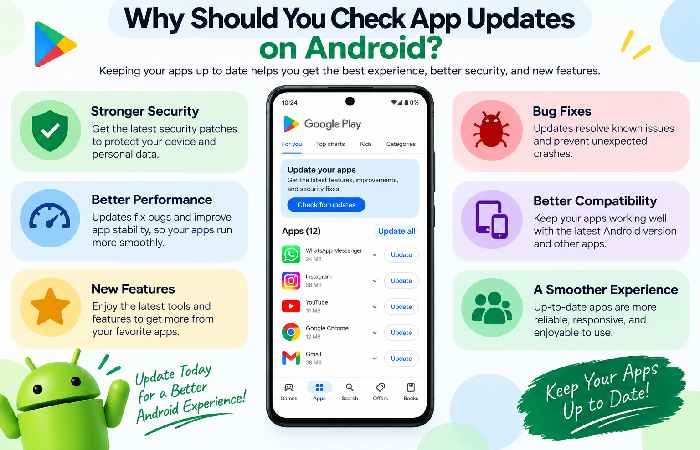
App updates can bring new features, performance improvements, security fixes, and bug corrections. Developers regularly release updates to improve compatibility with newer Android versions and fix problems reported by users.
Checking for updates regularly can also help prevent issues caused by using an outdated version of an app.
How to Check App Updates on Android
The easiest way to check for updates is through the Google Play Store.
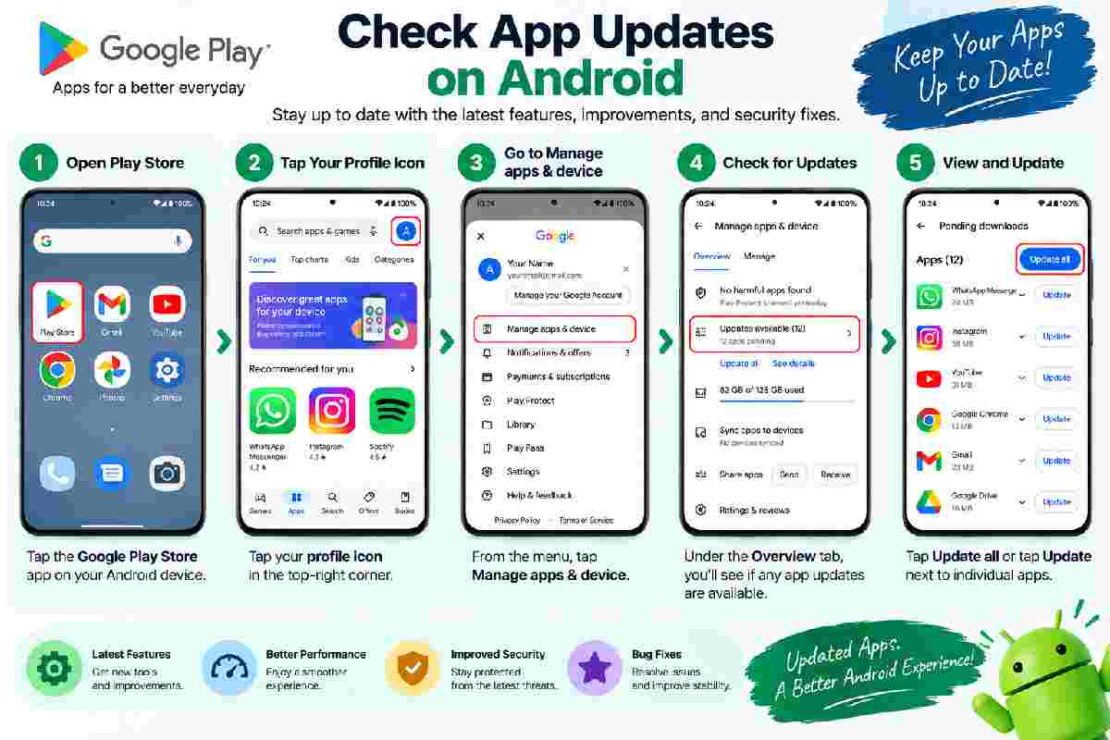
Step 1: Open Google Play Store
Open the Google Play Store app on your Android phone or tablet.
Step 2: Open Your Profile
Tap your profile picture in the upper-right corner of the screen.
Step 3: Select Manage Apps & Device
Choose Manage apps & device. The Play Store will show information about available app updates.
Step 4: Check Available Updates
Under the available updates section, you can see which apps have newer versions.
Tap Update beside an individual app if you only want to update that application.
If several updates are available, select Update all to update them together.
Manual vs Automatic App Updates
Android gives you flexibility in how you manage updates.
| Update Method | Best For | Main Benefit |
|---|---|---|
| Manual updates | Users who want control | Choose individual apps |
| Update all | Multiple pending updates | Saves time |
| Automatic updates | Convenience | Apps can update without manual checks |
Automatic updates are useful if you prefer not to check the Play Store regularly. Manual updates, however, give you more control over when apps download and install new versions.
What If an App Update Is Not Showing?
Sometimes you may expect an update but cannot find one. First, check that your device has a working internet connection and enough available storage.
You can also close and reopen the Play Store, restart your Android device, and check again.
If only one app is affected, open that app’s Play Store page and look for an Update button. If the button is unavailable, an update may not currently be available for your device or account.
For persistent Play Store problems, clearing the Play Store cache can be another troubleshooting step.
How Often Should You Check for App Updates?
There is no need to manually check every few hours. If automatic updates are enabled, the Play Store can handle many updates for you.
However, manually checking occasionally is useful when you know an important app has released a new version or when you are troubleshooting an app that appears outdated.
Frequently Asked Questions
How do I check for app updates on Android?
Open Google Play Store, tap your profile picture, select Manage apps & device, and check the available updates section.
Can I update all Android apps at once?
Yes. If multiple updates are available, the Play Store provides an Update all option.
Why can’t I see an Update button?
The app may already be up to date, or the latest version may not be available for your device yet.
Should I use automatic app updates?
Automatic updates are convenient because they reduce the need to manually check for new versions. If you prefer greater control over downloads, manual updates may be better.
Final Takeaway
Learning to check app updates on Android takes only a few steps. Open Google Play Store, go to Manage apps & device, review available updates, and update individual apps or select Update all. For ongoing convenience, automatic updates can reduce the need for regular manual checks.
Internal linking opportunities: Add links to related cluster articles such as how to update all Android apps, fix Play Store apps not updating, and how to turn off automatic app updates on Android.