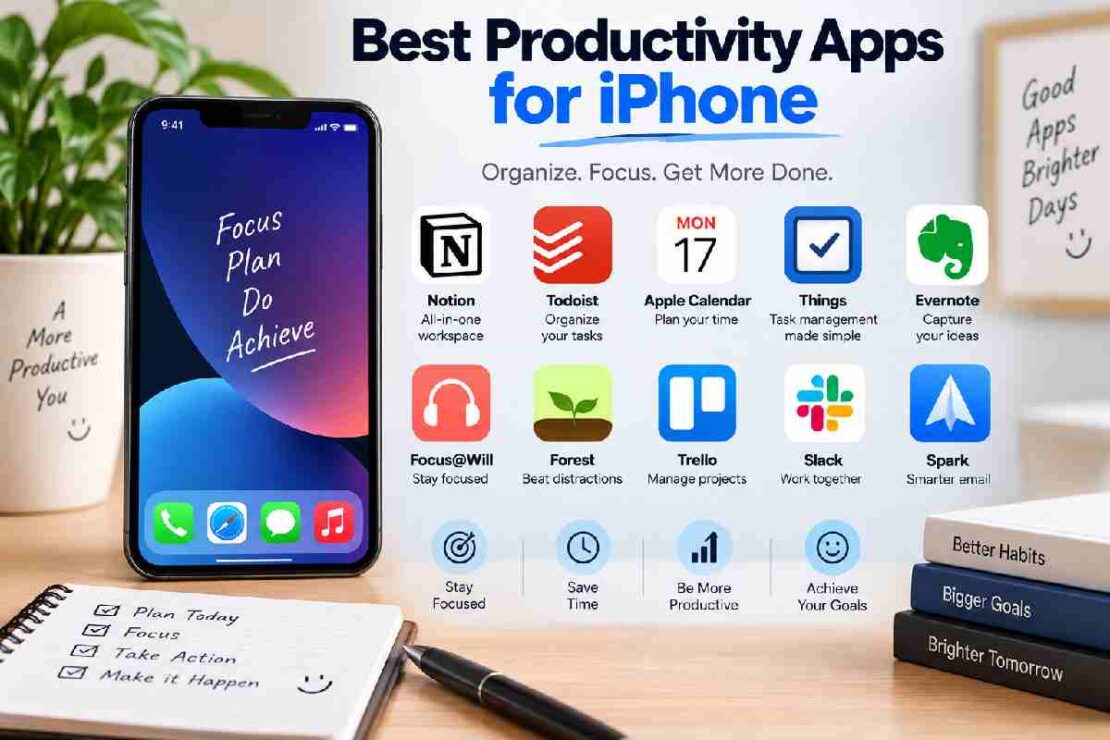
Whether you are a student, professional, freelancer, or someone who has never used one of these before, the right productivity app can assist you throughout your days when it comes to staying focused on your work, managing tasks, creating new notes, and planning out the whole week. Since every productive app we have listed caters for different needs, you don’t actually need a number of these to be a more productive worker – you only need to choose the right one from all those that will be explained below:
iPhone Productivity Apps Comparison
| App | Best For | Free Option | Key Feature |
|:—————– |:————————– |:———- |:————————– |
| Todoist | Task Management | Yes | Smart Task Organization |
| Apple Reminders | Simple Task Management | Yes | iPhone Integration |
| Apple Calendar | Scheduling | Yes | Time Planning |
| Notion | Notes and Organization | Yes | Flexible Workspace |
| Trello | Visual Planning | Yes | Kanban Boards |
| Tick | Tasks and Habits | Yes | Habit Tracking |
| Forest | Focus | Yes | Focus Sessions |
1. Todoist – Best For Task Management
A task-based productivity app that also excels with longer projects and deadlines that go beyond simply managing daily tasks. Like most other popular productivity apps, Todoist can be used for creating to-do lists, for setting and keeping up with reminders and deadline dates, it can create recurring tasks, and if you need it for more complex work, you could break down large projects into smaller steps. Its user-friendly and clutter-free interface would not intimidate new or advanced users in their pursuit to a more organized day.
* Best For: Students, Professionals, Freelancers, and anyone looking for a powerful, easy-to-use task manager.
* Key Features
* Task and Project Management
2. Apple Reminders – Best For iPhone Users
If your needs consist only of managing basic to-do tasks without any particular complexity and if you are already integrated within the Apple eco-system, you probably have everything that you need. Apple’s Reminders are easy-to-use: you could create to-do lists, set different type of reminders and have the them appear according to time, sorting tasks according to tags or whatever else comes to your mind in order to ensure all important things get done while using iPhone, iPad or even a Mac.
* Best For: Beginners or any Apple User who wants the simplest, completely free to-do list option on the market.
3. Apple Calendar – Best For Scheduling
To take advantage of all that an Apple device has to offer by including one productivity app in your daily tasks and to stop falling behind, dedicate time into using Apple Calendar. Use it for planning your work day, meetings, appointments or personal schedule while all the event details stay on sync between your Apple devices. Options such as monthly, yearly, weekly view and colored codes allow you to organize your calendar in the way it suit you the best.
* Best For: People who need a scheduling application.
4. Notion – Best For Notes and Organization
Notion is a productivity app, which allows its users not only to organize their thoughts and ideas but also the whole aspect of their lives. It essentially combines note taking abilities with project management, so you can transform your device into a blog, team wiki, personal database, and much more. The highly customizable design makes it a unique tool because every user has full control on their workspace to build it according to what is suitable for them, although it might require some learning.
* Best For: Individuals who would like to sort and organize the notes they create, and need an app that can manage tasks and integrate them with projects.
5. Trello – Best For Visual Planning
This simple and visual task managing app can bring great structure to any kind of process you want to achieve. Using an endless whiteboard where all the user tasks are arranged into cards and lists, all items stay easily organized. This is useful for individuals and large teams working together in any type of organization or any other event or project.
* Best For: People of all ages who are looking for a simple way to manage projects or businesses.
6. Tick – Best For Tasks and Habits
This app might just be right for you if you want a method to handle all daily tasks and habits together. It allows users to easily create tasks and manage the priorities and set up reminders for them on each device used, as well as being able to monitor habit formation. This can be achieved through the habit-building tasks within the Tick app which enable the user to build consistent routines. You are also able to manage time spent as well.
* Best For: Individuals that are searching for an app which will help them sort their everyday, often menial, tasks and monitor daily habits they wish to build.
7. Forest – Best For Focusing
Forest is a completely fun, gamified application to boost your attention towards your tasks. The user “plants” trees as long as they dedicate their phone and app for the cause. However, if users want to quickly check other social apps etc, their trees may start to die and eventually wither-away. As of March 2020, over 13,813,666 trees have been planted in real life thanks to the app. If anything about the app makes you hesitant then perhaps knowing that you’re planting trees in the real world is incentive enough to spend hours focused on the tasks you’re engaged in.
* Best For: People who are seeking an app that will assist with reading, writing or anything else that is related to long-focused periods without unwanted interruptions.
How to Choose the Best iPhone Productivity App
To create a productive workflow for yourself on your iPhone, you need to figure out which ones of those productive apps that have been listed can help you. For someone who are busy with work relating to writing and research, the focus needs to be given toward finding out what task would perfectly fit the specific work flow. People with schedules like those which you generally see on a calendar would possibly find that Apple Calendar will satisfy all their need in relation to this type of work flow. One app which holds every possibility to being useful to the user would generally be any app that the user is easily able to obtain and reach at any time of day that they might want to carryout productive actions.
Select the productivity app that better suits you on your iPhone and makes achieving work simpler.
Frequently Asked Questions
### What is the best productivity app on iPhone?
For efficient task management, Todoist is highly recommended. Apple Reminders offers simplicity for everyday tasks, while Apple Calendar excels in scheduling.
### Can you download productivity apps on iPhone for free?
Absolutely! Apple Reminders and Apple Calendar are pre-installed and free on all iPhones. Many other third-party productivity apps also offer a free basic version or a trial period.
### What is the best productivity app on iPhone for beginners?
Apple Reminders is an excellent choice for beginners due to its seamless integration with the Apple ecosystem, minimal setup, and its comprehensive features for basic to-do list management.
Conclusion
Each productivity app on iPhone that has been mentioned above allows you to do things differently in the context of getting work done through each respective method that appeals to the way in which you like work. Though if you are just hoping to use an app only for some part of what productivity apps allow you to accomplish, and not others then a useful tip would be to take time out to explore those apps listed which have the features required by you, so there won’t be any wasted hours searching. Whatever your desire for productivity, make sure to download what fits best with what you are able to use on your lifestyle and make the necessary adjustments on what makes working easier.