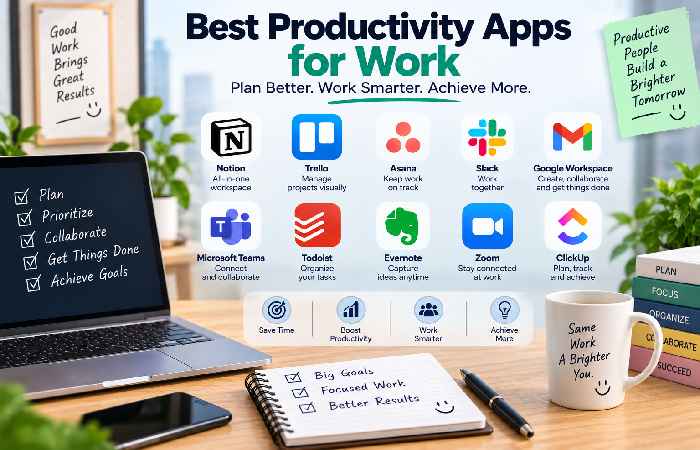
The Best Productivity Apps for Work Let us guide you. The best productivity apps for work will assist you with everything, from delegating projects and organizing tasks to scheduling meetings and staying focused on the work that matters most during your days. Many professionals can utilize these resources if they work remotely, within an office, or are freelancers.
But be aware, having the maximum variety of software solutions doesn’t always equate to enhanced productivity, rather the selection of the correct applications should address specific pain points.
Let’s examine several productive software solutions for productivity: Best Productivity Apps for Work At A Glance App Best For Key Feature Free Option Todoist Managing Tasks Prioritization and scheduling deadlines Yes Microsoft To Do Easy tasks Lists and reminder Yes Google Calendar For scheduling Time blocking Yes Notion Note and information storage Notes and databases Yes Trello Visual Projects Kanban boards Yes Asana Team Projects Ownership of tasks Yes ClickUp All-In-One Tool Project and workflow management Yes 1. Todoist Best for managing tasks at work It’s a smart idea to use this application in your daily tasks. From creating items, deadlines, and prioritization to recurring tasks and delegating smaller project tasks to meet project requirements. Todoist works perfectly for all types of professionals that need assistance in keeping everything in order.
2. Microsoft To Do Best for simple tasks.
With simple tools to set lists and reminders, due dates and project lists. This is a recommended starting point for novices who do not have project administration requirements for their job. 3. Google Calendar Best for scheduling Make use of Google Calendar to manage all your team’s meetings, appointments, deadlines, and blocking out dedicated time for critical tasks and projects.
This application is a smart way to use “time-blocking.” Instead of making notes of tasks like “prepare a presentation”, dedicate blocks of time out of your day to get things done. 4. Notion Best for work organization You can manage notes, project tasks, meetings, documents, and databases through the application.
Professionals and even teams use it to store meeting documents, calendars, knowledge bases, and all necessary information for the job.
However, note that this application might cause a steep learning curve for some users. 5. Trello Best for visual workflows This software uses a visual Kanban board to allow you to trace work processes, lists, and projects. A general framework may include: To Do In progress To Do for reviewing Complete. Use this when you want to make the workflow very clear and useful for marketing content, etc.
6. Asana Best for managing a team workload This system helps you manage teams, deadlines, tasks, and the projects as well as the ownership.
This can guide teams to know who is accountable for the tasks and how the tasks are associated with larger project targets. 7. ClickUp All-in-one workspace This is an all-in-one workstation that has the tools to set all kinds of projects and to work tasks, goals, documents, and collaborative and workflow software. This may also help simplify the software you are using within your organization.
Productivity Apps for Work At A Glance Which of your needs are you working on?
What would you recommend?
For tasks, I’m stuck Todoist.
For lists of things to do, Microsoft To Do is the solution.
For scheduling, Google Calendar is my go-to. For taking notes and storing all the documentation Notion is the best. If I was visually managing workflows or workflows that did not have very strict deadlines, Trello is what I’d chose. Asana and ClickUp could work great with larger groups that must track the success of the group project.
Productivity Tips for Work “Identify your biggest issue at work and solve that issue.”
If you have trouble keeping a task list in your brain, you’ll really need a task tracker. A work calendar can help if your schedule is mostly full of scheduled activities and deadlines. If information seems lost or it is too much effort to find it, you’ll need to get a central system to track notes and documents.
“It is important not to over-clutter your computer with several work task list software.” Make sure your system reflects your needs with a simple and efficient flow, and limit notifications to only crucial messages, such as messages with the urgency level that asks you to take care of the things! “Do not make this more complicated than it needs to be.”
This means if you notice issues with lost tasks, missed deadlines, or communications getting out of sync, but don’t feel that they must use all the features available in an application – take off the features that your group would not need for their purposes.
FAQ
How do I use and pick the productivity software I need?
Choosing the best software is determined by your current workspace practices. Todoist (personal task tracker), Google Calendar (Scheduling), Notion (note and database management), Trello (visual project management) Asana (team workload management).
Can a beginner start using any software?
As a beginner, you may wish to begin using Microsoft To Do since it’s extremely basic and provides you with all the essential functions of the basic software.
What are the popular and free applications for work productivity?
You don’t always have to pay for work apps as many of the apps have both free (basic) as well as paid variations for advanced options and tools. The total productivity of a project depends on the work of the team members.
How many apps are required for managing work in productivity?
Start with minimal features like basic project management, task trackers, a digital diary (Google Calendar), and notes storage if needed, and add to the workspace depending on your needs. The more tasks you manage, the simpler your system needs to be to avoid clutter and allow you to complete tasks efficiently.
Work Productivity: The Final Decision!
It is not important to possess a plethora of apps to increase your output. Identify your highest working priority task, manage your existing work with Asana or ClickUp if you are a part of a team workload project, schedule deadlines and meeting notes with Google Calendar. Use Todoist when you feel your task tracking is not up to par and Notion if you do not have your knowledge base. In conclusion, a properly managed productive system does not mean more applications but means you need to find applications that fit your routine to minimize the extra effort of organizing your work and maximize the time spent working on tasks.