Last Updated: September 12, 2026
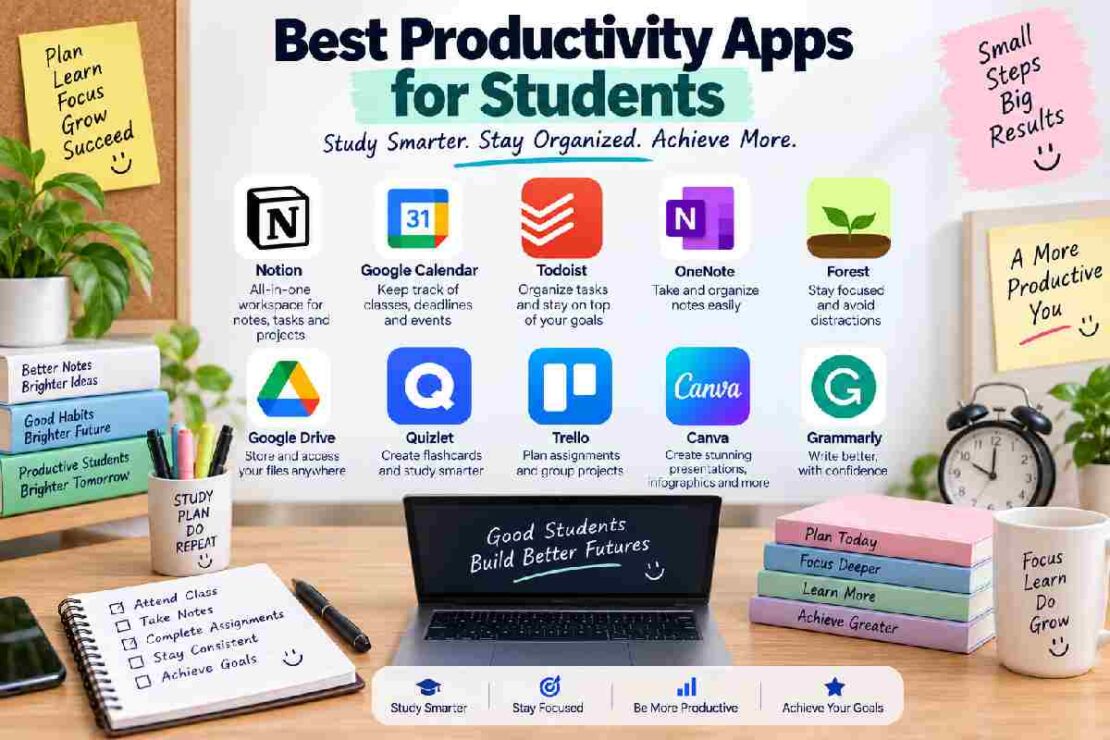
Productivity apps for students can help in organizing assignments, keeping deadlines in mind, taking notes, planning study sessions, and avoiding distractions. Rather than mixing things between various notebooks and messages, students can use apps and simplify the process of managing studies, college, and personal activities.
Having said that, there is no point downloading every productivity app. The purpose is to find apps that assist you where needed but do not add more burden to the study process.
Brief overview of Best Productivity Apps for Students
App Function Focus Free Option
Todoist Assignment Task management Yes
Google Calendar Scheduling Deadlines Yes
Notion Notes Flexible workspace Yes
Microsoft To Do List Simple tasks Yes
Forest Work sessions Focused studying Yes
Trello Group projects Visual boards Yes
Google Keep Notes Quick notes Yes
1. Todoist- Most student-friendly for Assignments.
Students with many assignment and deadlines can use this app to add tasks, assign deadlines, manage the importance of them and divide the larger tasks.
As an example: instead of adding one task ‘Science project’, students can add multiple tasks-Research, Write, Edit and Submission.
Best for: Assignment and task management
2. Google Calendar- Scheduling tool that helps keep deadlines in sight.
You can manage timetable of classes, exams, assignment deadlines, meetings and study sessions using the app. A simple time-blocking strategy helps put allocated study time for subjects against the deadlines to manage.
Best for: Students with poor deadline and time management skills.
3. Notion- The best app to replace notes and organization tools.
The app gives a flexible workspace where students can merge notes, documents, databases and planning projects. Students can also maintain pages for every subject and build study plans and combine notes on every project on a single platform.
Best for: Students who want to keep notes and organization tools in a single system.
While it may take some time for beginners to adapt to this highly functional app.
4. Microsoft To Do- For complete beginners.
Microsoft To Do is considered one of the simplest apps for beginners and students. Students can organize assignments in lists, update deadlines and establish daily priorities without creating a highly complex study system.
Best for: Beginners and students who have simple needs.
5. Forest- Work sessions focused solely on studying.
This app can help students to study without any notification, social media and other things. Set your timer to an effective period for study, give your phone to others so that you do not get distracted, once it gets finished come back and access your phone again.
Best for: Productive and focused study sessions.
6. Trello- Best for group projects.
The app presents progress via boards, lists and cards. Student groups could present tasks in columns for tasks which need to be considered, tasks to do, tasks under progress and completed tasks.
Best for: Collaboration on projects and overall planning visuals.
Best Productivity Apps for Students-Comparison
Student requirements Recommended App
Assignments Todoist
Scheduling Google Calendar
Notes Notion
Simple task management Microsoft To Do
Focus Forest
Group tasks Trello
Quick Notes Google Keep
Student life-tip
Start your system based on your most obvious problem rather than by using all possible productivity tools out there at once. In case of forgetting assignments use to-do lists. In case of deadlines use Google Calendar.
For managing notes, use a to-do app.
If your goal is just focus for study then choose any focus app that is suitable. Remember to keep your system simple since complex tasks generate further stress.
Common Problems and solutions
If you face the problem of having too many tasks you need to break those assignments into smaller bits and pieces. If you are in the habit of missing deadlines then manage both tasks using Google calendar and an to-do app along with a timely check once in a while. In case of many notifications turn off unnecessary sounds from some apps on your mobile.
You are sure to forget all other notes scattered everywhere if you settle on a primary platform to consolidate your notes together.
If you have made your study system too complex. Do not think about it for too long, use those functions you benefit from on a regular basis to have your studying session well organized.
Frequently asked questions
What is the best productivity app for students?
Students can opt for applications like Todoist, Google Calendar, Notion, Microsoft To Do, Forest and Trello as per the requirements of their task.
Is an app for students productive free?
Many of the popular student applications come with basic free options as far as certain features are concerned. However, few features may require payment.
What is the best to-do list application for a beginner?
Microsoft To Do and Google Calendar help beginners gain a start for getting organized with assignments and deadlines respectively.
How many productive applications should a student use?
Not more than one to-do list application and one calendar to keep tasks under supervision and deadlines tracked. Other applications should only be used when they fulfil specific needs for better organization and effective learning.
Bottom Line
Students should always aim to employ those apps which do not create hurdles but support student’s success and streamline studies, be it organizing assignments using To Do, planning study schedules in Google Calendar, taking notes with Notion, or focusing sessions during Forest application usage. Avoid making things over complicated as it can become counter-productive.