Last Updated: September 12, 2026
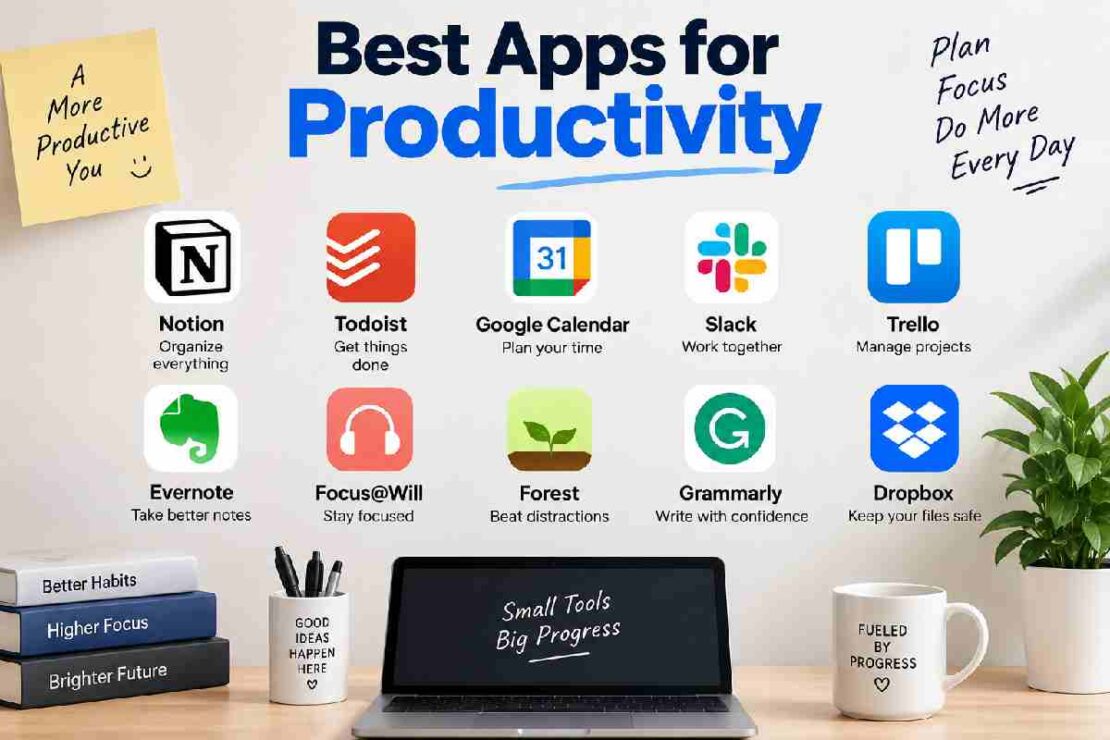
When it comes to picking top productivity apps, it’s not quite as easy as blindly downloading the first one that gets 5-stars from strangers. There are now over 500 applications available on the market for productivity, which can aid with everything from task management, to note-taking, calendar entries, focus activities, project management, time-tracking, collaboration, automation and working with AI. The hard part is neither picking nor downloading one of these tools; but picking one that aligns with how you work-not just theoretically, but practically.
The top productivity apps you need as a student could, and most likely should, be vastly different from those you should pick as a freelancer, manager, developer or a team. Some people just need a good tasklist while others desire a feature-rich ‘all in one’ workspace with integrated tasks, documents, databases, a calendar, and a personal AI.
Here are today’s elite productivity apps – from this time put into perspective. Today we are exploring the year 2026’s top productivity apps based where and the apps true uniqueness lies. Instead of just blasting you with hundreds of application names that are fairly average we break down each application based on its productive environments – primary functions or standout features, advantages/disadvantages for its use, pricing and how to seamlessly integrate it with your productive life.
Quick Answer: What Are the Best Productivity Apps?
Here are some of the top picks if you are looking for a recommendation for anything and want something of good quality.
| App | Best For | Main Strength | Free Option |
|---|---|---|---|
| Todoist | Personal task management | Fast, clean task organization | Yes |
| Notion | All-in-one organization | Notes, databases, docs and tasks | Yes |
| Microsoft To Do | Simple free task management | Easy lists and reminders | Yes |
| Google Calendar | Scheduling | Time blocking and appointments | Yes |
| Trello | Visual planning | Kanban boards | Yes |
| ClickUp | Teams and projects | Extensive project-management features | Yes |
| Asana | Team project management | Goals, projects and workflows | Yes |
| Obsidian | Knowledge management | Linked, local-first notes | Yes |
| TickTick | Advanced personal productivity | Tasks, habits and planning | Yes |
| Forest | Focus | Distraction-free focus sessions | Limited/free option |
| Toggl Track | Time tracking | Simple time measurement | Yes |
| Motion | Automated scheduling | AI-assisted calendar planning | Trial/paid-focused |
| Sunsama | Daily planning | Tasks + calendar planning | Trial/paid |
| Evernote | Digital notes | Mature note-taking system | Limited free option |
| monday.com | Business workflows | Customizable work management | Limited/free tier |
Neither has one clear winner. For those users whose main objective is the management of tasks, Todoist is a fine choice. Notion is for those who seek one all-in-one workspace. If the main aim is free, basic lists, there’s a lot to be said for Microsoft To Do.
1. How We Chose the Best Productivity Apps

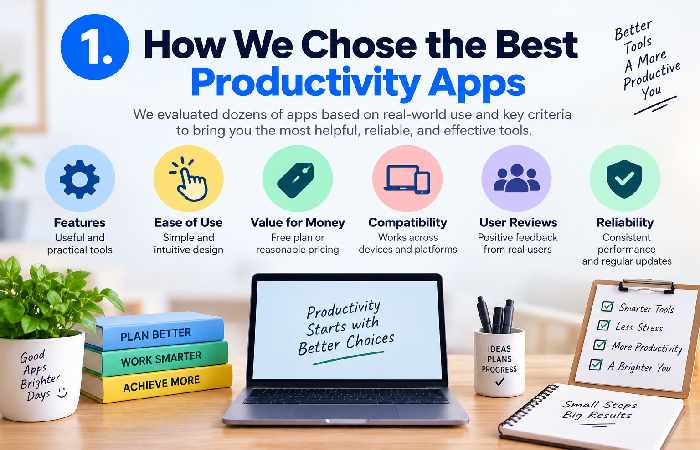
A productivity app shouldn’t be judged on the amount of features advertised on its website.
An app with more features actually has the potential to be less productive if additional work is required in terms of setup, notifications, or administration.
The key features to consider for this comparison were:
Usability
Task management
Scheduling
Notes & Information handling
Collaboration
Automation
AI functionality
Cross-platform availability
Utility of free plan
Integrations
Customizability
Learning curve
Beginner friendly
Value for money
An additional consideration was relevance to actual use, assuming not all users want or need the same set of features.
Our 2026 Productivity App Scorecard
The following score is an editorial comparison based on the factors above, rather than an official rating from the individual developers.
| App | Ease | Features | Flexibility | Collaboration | Overall |
|---|---|---|---|---|---|
| Todoist | 9.5/10 | 9/10 | 8.5/10 | 8/10 | 9.1 |
| Notion | 8/10 | 10/10 | 10/10 | 9/10 | 9.2 |
| Microsoft To Do | 9.5/10 | 7.5/10 | 7/10 | 7/10 | 8.3 |
| Google Calendar | 9/10 | 8.5/10 | 8.5/10 | 8.5/10 | 8.6 |
| Trello | 9/10 | 8/10 | 8.5/10 | 9/10 | 8.6 |
| ClickUp | 7.5/10 | 10/10 | 9.5/10 | 9.5/10 | 9.1 |
| Asana | 8.5/10 | 9/10 | 9/10 | 9.5/10 | 9.0 |
| Obsidian | 7.5/10 | 9/10 | 10/10 | 6.5/10 | 8.3 |
| TickTick | 9/10 | 9.5/10 | 8.5/10 | 7.5/10 | 8.6 |
| Toggl Track | 9/10 | 8/10 | 7.5/10 | 7.5/10 | 8.1 |
Productivity App Score Graph
Overall editorial score
Notion             ██████████████████  9.2
Todoist            ██████████████████  9.1
ClickUp            ██████████████████  9.1
Asana              █████████████████   9.0
Google Calendar    █████████████████   8.6
Trello             █████████████████   8.6
TickTick           █████████████████   8.6
Microsoft To Do    ████████████████    8.3
Obsidian           ████████████████    8.3
Toggl Track        ███████████████     8.1
The important takeaway is that the highest score does not automatically mean the app is right for you. A simpler app can be a better productivity tool if it removes friction from your day.
2. Todoist — Best for Personal Task Management
Best For: To-do lists, planning, recurring tasks, basic task management. Todoist is one of the easiest recommendations you can make for someone needing a task manager without too many complexities. The value of the application is its simplicity where you’re able to get down a task with its due date and a priority level quickly and group projects and recurring tasks together.
Key features
- Tasks and subtasks
- Projects
- Priorities
- Due dates
- Recurring tasks
- Labels
- Filters
- Natural-language task entry
- Collaboration
- Cross-platform apps
- Integrations
Pros
- Very easy to learn
- Fast task capture
- Excellent for recurring tasks
- Clean interface
- Good balance between simplicity and advanced features
Cons
- Some advanced features require a paid plan
- Not designed to replace a full knowledge-management system
- Heavy project-management teams may need something more comprehensive
Best for
Todoist is ideal for people who think:
“I just need to know what I need to do today.”
If that sounds like you, start here rather than building a complicated productivity system.
3. Notion — Best All-in-One Productivity App
Best for: Notes, project organization, databases, documentation and customized workflows.
Notion takes a completely different approach.
Instead of giving you one predefined productivity system, it provides building blocks that you can combine into your own workspace.
You can create:
- Notes
- Documents
- Task databases
- Project trackers
- Content calendars
- Meeting notes
- Knowledge bases
- Wikis
- Personal dashboards
- Databases
- Templates
That flexibility is Notion’s greatest strength—and its biggest weakness.
A beginner can open Notion and immediately feel overwhelmed because there are so many possibilities.
Pros
- Extremely flexible
- Excellent documentation
- Powerful databases
- Strong collaboration
- Useful templates
- Good for combining notes and projects
- AI features can assist with knowledge work
Cons
- Steeper learning curve
- Easy to overcomplicate
- Requires setup to get the most from it
- Not always the fastest option for simple task capture
Best for
Choose Notion if you want to keep your notes, projects, documents and structured information in one place.
For writers, students, researchers, creators and small teams, it can function as a complete digital workspace.
4. Microsoft To Do — Best Free Simple Productivity App
Best for: Beginners, those that wish simplicity in managing tasks.
Microsoft To Do strips it down to the fundamentals. Create lists, add tasks, set reminders, assign due dates, and even outline daily tasks without having to learn how to run a complex system. It’s greatest strength, on the other hand, is that it is intuitive and familiar.
Pros
- Simple interface
- Easy to learn
- Useful for everyday tasks
- Good integration with Microsoft’s ecosystem
- Suitable for beginners
- Free for core personal use
Cons
- Less customizable than advanced task managers
- Fewer project-management features
- Not ideal for complex team workflows
Best for
If your productivity problem is simply remembering what you need to do, Microsoft To Do may be enough.
You do not need a sophisticated workspace to remember:
- Call the client
- Buy groceries
- Submit assignment
- Pay electricity bill
- Prepare tomorrow’s presentation
Sometimes simple is productive.
5. Google Calendar — Best for Time Blocking
Best for: Scheduling, appointments and time-based planning.
A task list tells you what needs to happen.
A calendar tells you when it will happen.
That distinction is important.
Many people create enormous to-do lists but never allocate time to complete those tasks. Google Calendar can solve part of this problem by turning intentions into scheduled blocks.
Useful productivity features
- Events
- Reminders
- Recurring schedules
- Multiple calendars
- Shared calendars
- Meeting scheduling
- Time blocking
- Integration with other Google services
Best productivity technique: Time blocking
Instead of writing:
Finish article
you can create:
10:00–11:30 — Write article introduction and research
That creates a specific commitment rather than a vague intention.
6. Trello — Best for Visual Productivity
Best for: Kanban boards, simple projects and visual planning.
Trello uses cards and boards to represent work.
A basic board might have:
Ideas → To Do → In Progress → Review → Done
You can move cards between columns as work progresses.
This makes Trello particularly useful for people who understand work visually.
Pros
- Very intuitive
- Easy visual organization
- Excellent for simple workflows
- Useful for teams
- Easy to customize
Cons
- Complex projects can become difficult to manage
- Advanced reporting may require higher-tier features
- Not ideal if you prefer traditional task lists
Best for
Trello works especially well for:
- Content calendars
- Editorial workflows
- Marketing projects
- Personal planning
- Small teams
- Creative projects
7. ClickUp — Best for All-in-One Team Productivity
Best for: Teams needing work tasks, projects, docs, goals and workflows in a single system.
ClickUp offers wide-reaching capabilities across the work management stack. The core functionality includes
- Tasks
- Projects
- Docs
- Goals
- Dashboards
- Automations
- Team collaboration
- Time tracking
- Workflows
- AI-assisted features
Its strength is breadth.
Its weakness is the learning curve that comes with that breadth.
Best for
Compared to an individual requiring only a grocery list; ClickUp could be more appropriate for an expanding team. If your organization has various tasks, owners, deadlines and processes; the rich feature set can begin to offer the increased functionality you need.
8. Asana — Best for Structured Team Projects
Best for: Teams that need clear ownership, deadlines and project visibility.
Asana is built around structured project management.
A team can define:
- What needs to be done
- Who owns it
- When it is due
- What depends on what
- How the project is progressing
This makes it particularly useful when work involves multiple people.
Pros
- Strong project management
- Excellent task ownership
- Good collaboration
- Useful project views
- Suitable for professional teams
Cons
- More than an individual user may need
- Advanced functionality can take time to learn
- Some features are targeted toward paid plans
Best for
Choose Asana when productivity means coordinating people rather than simply organizing yourself.
9. Obsidian — Best for Knowledge Management
Best for: Researchers, writers, students and people who build interconnected notes.
Obsidian is different from a traditional task manager.
Its core strength is creating relationships between pieces of information.
You can connect notes to other notes and gradually build a personal knowledge system.
For example:
Research → Article → Topic → Source → Related Idea
This makes Obsidian particularly attractive to people who regularly collect and reuse information.
Pros
- Powerful linking
- Excellent for knowledge management
- Highly customizable
- Local-first approach
- Large plugin ecosystem
Cons
- Requires learning
- Can become technically complicated
- Less focused on team collaboration than project-management tools
Best for
If your biggest problem is not forgotten tasks but “Where did I save that information?”, a knowledge-management app may be more useful than another to-do list.
10. TickTick — Best for Advanced Personal Productivity
Best for: Users who want tasks, habits, planning and productivity features in one app.
TickTick combines task management with additional personal productivity tools.
Depending on the platform and plan, users can work with:
- Tasks
- Lists
- Recurring tasks
- Calendar views
- Habits
- Reminders
- Priorities
- Focus tools
This makes it a useful middle ground between a basic to-do app and a larger productivity workspace.
Best for
TickTick is worth considering if Todoist feels slightly too simple but Notion feels unnecessarily complicated.
11. Toggl Track — Best for Time Tracking
This is perfect for: freelancers, consultants, agencies, professionals who want to know where they are spending their time.
Productivity isn’t always about doing more work.
Sometimes, it’s knowing where work disappears.
Time tracking can reveal patterns such as:
- Too much time spent in meetings
- Too much time spent on email
- Underestimating project work
- Excessive administrative work
- Unprofitable client work
Toggl Track is designed around that problem.
A useful productivity question
Instead of asking:
“Was I busy today?”
ask:
“What did my working hours actually produce?”
That distinction can be extremely valuable for freelancers and managers.
12. Motion — Best for Automated Scheduling
Best for: People who want software to help arrange tasks around their calendar.
Motion belongs to the newer generation of productivity tools that tries to automate more than task storage.
Instead of simply showing a list of tasks, AI-assisted scheduling tools attempt to help determine when tasks should be completed.
This can be useful if your day frequently changes because of meetings, deadlines and competing priorities.
Pros
- Automated scheduling approach
- Strong calendar integration
- Useful for deadline-driven work
- Reduces manual planning
Cons
- More expensive than basic task apps
- Automation may feel unnecessary for simple workflows
- Requires a well-maintained task/calendar system
Best for
Choose an automated scheduling tool if your biggest problem is not knowing when to do your tasks.
13. Sunsama — Best for Intentional Daily Planning
Best for: People who prefer planning their day deliberately.
Sunsama takes a calmer approach to productivity.
The idea is not necessarily to create the largest possible task list. Instead, you plan a realistic day by bringing together tasks, calendar commitments and available working time.
This is useful for people who repeatedly create 20-task lists and finish five.
The key idea
A productive day is not necessarily the day where you complete the most tasks.
It can be the day where you complete the right tasks.
14. Evernote — Best for Traditional Digital Notes
Best for: People who want a mature note-taking environment.
Evernote has long been associated with digital note-taking and remains relevant for users who prefer a dedicated system for capturing information.
It can be useful for:
- Meeting notes
- Research
- Documents
- Web information
- Personal reference material
- Organized notebooks
Its best use case is information capture rather than sophisticated project management.
15. monday.com — Best for Custom Business Workflows
Best for: Businesses that need customizable workflows.
monday.com is aimed more toward teams and organizations than individual users.
It can be used to manage:
- Projects
- Sales workflows
- Marketing
- Operations
- Team responsibilities
- Customer-related processes
- Business processes
Its flexibility makes it suitable for organizations where a simple task list is not enough.
Best Productivity Apps by Use Case
Instead of asking which productivity app is universally best, start with the problem you want to solve.
| Your Need | Recommended App |
|---|---|
| Simple personal tasks | Microsoft To Do |
| Advanced personal tasks | Todoist |
| Notes + projects | Notion |
| Time management | Google Calendar |
| Visual planning | Trello |
| Team project management | Asana |
| All-in-one team workspace | ClickUp |
| Knowledge management | Obsidian |
| Tasks + habits | TickTick |
| Time tracking | Toggl Track |
| Automated scheduling | Motion |
| Daily planning | Sunsama |
| Traditional note-taking | Evernote |
| Business workflows | monday.com |
| Focus sessions | Forest |
Best Free Apps for Productivity
You do not necessarily need to pay for productivity software.
A useful free productivity stack can include:
1. Microsoft To Do
Use it for simple tasks and reminders.
2. Google Calendar
Use it to schedule important work.
3. Notion
Use it for notes, documentation and larger projects.
4. Trello
Use it for visual workflows.
5. Todoist
Use its free plan if you want a dedicated task manager.
6. Obsidian
Use it to build a personal knowledge base.
The important thing is not to install all six.
Choose the smallest combination that solves your actual problems.
Best Productivity Apps for Beginners
If you are completely new to productivity apps, do not start with the most powerful platform.
Start with the easiest system you will actually use.
A beginner-friendly setup can be:
Google Calendar + Todoist
Use Google Calendar for time-specific commitments and Todoist for tasks.
Or:
Microsoft To Do + Google Calendar
if you want a completely straightforward system.
If you need notes and documents as well:
Notion + Google Calendar
can provide a more complete workspace.
Best Productivity Apps for Students
Students usually need a combination of tasks, notes, deadlines and calendars.
A practical setup is:
Todoist
Use it for assignments, exams and recurring study tasks.
Notion
Use it for class notes, research and project organization.
Google Calendar
Use it for lectures, exams, deadlines and study blocks.
Forest
Use it during focused study sessions.
The best system is one where every assignment has a clear home and every important deadline appears somewhere you will actually check.
Best Productivity Apps for Freelancers
Freelancers often need more than a to-do list.
A useful stack can include:
- Todoist for tasks
- Google Calendar for scheduling
- Toggl Track for time tracking
- Notion for client information
- Google Drive for files
- Slack or another communication platform when clients require it
The goal is to prevent client information from being scattered across email, messages, notes and random documents.
Best Productivity Apps for Teams
For teams, individual task management becomes less important than visibility.
You need to know:
- Who owns the task?
- What is the deadline?
- What is blocked?
- What has been completed?
- What depends on another task?
That is why platforms such as Asana, ClickUp, Trello and monday.com become more attractive for collaborative work.
The best option depends on the complexity of your workflow.
How to Choose the Right Productivity App
Before downloading anything, ask five questions.
1. What is my biggest productivity problem?
Is it:
- Forgetting tasks?
- Missing deadlines?
- Losing notes?
- Spending too much time in meetings?
- Getting distracted?
- Poor team communication?
- Difficulty planning your day?
Start with the problem.
Do not start with the app.
2. Do I need a task manager or a workspace?
A task manager helps you answer:
What should I do?
A workspace helps you answer:
What do I know, what am I working on, and how does everything connect?
Todoist is closer to the first category.
Notion is closer to the second.
3. Am I working alone or with a team?
Solo productivity and team productivity are different.
Individuals often prioritize:
- Speed
- Simplicity
- Personal organization
Teams need:
- Ownership
- Collaboration
- Permissions
- Project visibility
- Reporting
- Workflow management
4. Do I actually need AI?
AI is becoming increasingly common in productivity software.
It can help with:
- Summarizing information
- Drafting text
- Organizing information
- Scheduling
- Automating repetitive work
- Searching across knowledge
But AI should solve a real problem.
Do not pay for an AI feature simply because an app has added “AI” to its marketing.
5. Will I use it every day?
This is the most important question.
A theoretically perfect productivity system is useless if it takes 30 minutes every morning to maintain.
How Many Productivity Apps Should You Use?
For most people, fewer is better.
A practical productivity stack might contain only:
1 task app + 1 calendar + 1 notes system
For example:
Todoist + Google Calendar + Notion
That is enough for many personal workflows.
Adding ten more apps does not automatically increase productivity.
In fact, every additional app introduces another:
- Login
- Notification
- Database
- Search location
- Sync process
- Subscription
- System to maintain
The goal is not to collect productivity apps.
The goal is to reduce friction.
Common Productivity App Mistakes
Mistake 1: Using multiple task managers
If you have tasks in Todoist, Notion, Apple Reminders, Google Keep and your notebook, you may spend more time checking lists than completing tasks.
Choose one primary task system.
Mistake 2: Overbuilding your workspace
A productivity dashboard can look impressive while doing absolutely nothing for your productivity.
You do not need 50 databases to manage your life.
Mistake 3: Tracking everything
Not every activity needs a timer.
Track information that helps you make better decisions.
Mistake 4: Turning notifications into productivity
Notifications are interruptions.
Turn off unnecessary alerts and keep notifications for things that genuinely require attention.
Mistake 5: Confusing organization with progress
Moving a task between columns is not the same as completing it.
Color-coding a calendar is not the same as doing the work.
The purpose of a productivity app is to support action.
A Simple Productivity System for 2026
If you are starting from zero, try this system.
Step 1: Capture
Put every task in one task manager.
Step 2: Clarify
Rewrite vague tasks into specific actions.
Instead of:
Website
write:
Review homepage copy and send changes to developer.
Step 3: Prioritize
Identify the tasks that genuinely matter today.
Step 4: Schedule
Put important work into your calendar.
Step 5: Focus
Work on one meaningful task at a time.
Step 6: Review
At the end of the day, check what was completed and move unfinished work deliberately.
Step 7: Simplify
Every few weeks, remove unnecessary lists, notifications and workflows.
Are Productivity Apps Actually Worth It?
Yes—but only when they solve a real organizational problem.
A productivity app cannot automatically make you disciplined.
It cannot eliminate every distraction.
It cannot make every task interesting.
What it can do is reduce the mental effort required to organize work.
A good productivity app should help you:
- Remember what matters
- See what comes next
- Reduce unnecessary switching
- Make deadlines visible
- Capture information
- Coordinate with others
- Automate repetitive work
That is where the real value comes from.
Frequently Asked Questions
What is the best productivity app in 2026?
There is no single best app for everyone. Todoist is an excellent choice for task management, Notion is strong for all-in-one organization, Google Calendar is useful for scheduling, and ClickUp or Asana can be better for teams.
What is the best free productivity app?
Microsoft To Do, Google Calendar, Notion, Trello, Todoist and Obsidian all provide useful free options, although their free features differ.
What is the best productivity app for beginners?
Microsoft To Do or Todoist are good starting points because their basic workflows are easy to understand. Google Calendar is also useful for scheduling.
Is Notion better than Todoist?
Not necessarily. Notion is more flexible and can combine notes, documents, databases and tasks. Todoist is more focused on fast and efficient task management.
Is ClickUp better than Asana?
It depends on the workflow. ClickUp generally emphasizes a broad all-in-one feature set, while Asana is particularly strong for structured project and team management.
What is the best productivity app for students?
A combination of Todoist, Notion and Google Calendar can work well for students. Todoist manages assignments, Notion handles notes and Google Calendar manages deadlines and study sessions.
What is the best productivity app for freelancers?
Todoist, Notion, Google Calendar and Toggl Track are strong options for freelancers because they cover tasks, information, scheduling and time tracking.
Can productivity apps really save time?
They can, but only when they reduce friction. An app that requires excessive maintenance can actually cost time.
How many productivity apps should I use?
Start with one task manager, one calendar and one notes system. Add another app only when you have identified a specific problem it solves.
Are AI productivity apps worth paying for?
They can be valuable when they automate repetitive work or reduce planning time. However, an AI feature is not automatically useful simply because it is included in an app.
Productivity App Troubleshooting: What to Do When Your System Stops Working
Sometimes the problem is not the app.
If your productivity system feels overwhelming, try these fixes.
Too many tasks
Delete, delegate or postpone tasks that no longer matter.
Too many notifications
Disable everything that does not require immediate attention.
You forget to check the app
Connect your system to a routine. For example, review tasks every morning and evening.
Your system is too complicated
Remove dashboards, tags, categories and databases that you do not actually use.
You keep switching apps
Commit to one primary system for at least a few weeks before deciding whether you need something else.
You spend more time organizing than working
Simplify immediately.
Productivity software should support your work, not become the work.
Final Verdict: Which Productivity App Should You Choose?
The best apps for productivity are not necessarily the apps with the longest feature lists.
Choose Todoist if you mainly need a powerful personal task manager.
Choose Notion if you want notes, documents, databases and projects in one flexible workspace.
The most effective productivity system is usually the one that you can understand quickly, maintain consistently and use without thinking about it.
Start small.
Pick one task manager.
Connect it to your calendar.
Create a simple daily review.
Then add features only when you discover a genuine need.
The objective is not to build the perfect productivity setup.
It is to make it easier to finish the work that matters.