If you’re looking for Liven app features you likely want more than just a list. Maybe you are wondering what the Liven app does more generally, if the features can really benefit everyday life and if the premium subscription is worth paying for.
Liven is a self-discovery and mental wellness app with personalized plans, mood tracking, journalling, self-assessments, daily tasks, ambient sounds, educational courses and even an AI “Livie”. The concept behind Liven is to consolidate all these tools in the one place where users can learn about their tendencies and create meaningful and small changes for daily life over time.
Let’s take a closer look at the key features on the Liven app in 2026.
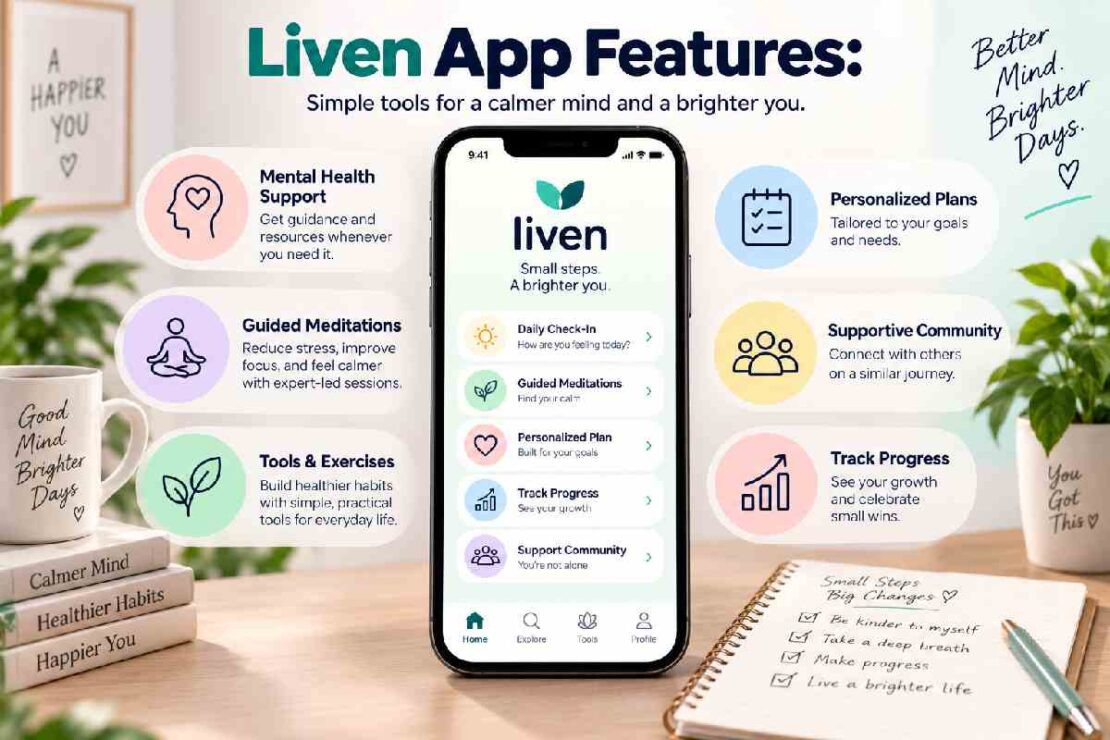
Liven App Features at a Glance
| Feature | What It Does | Best For |
|---|---|---|
| Personalized Plan | Creates a guided self-discovery journey | Beginners |
| Mood Tracker | Records moods, feelings, and context | Emotional awareness |
| Guided Journal | Provides prompts and reflection space | Self-reflection |
| Tasks & Routines | Helps organize small daily actions | Habit building |
| Livie AI Companion | Provides conversational reflection and guidance | Thinking things through |
| Tests | Offers self-assessment tools | Learning about patterns |
| Sounds | Provides calming and focus-oriented audio | Relaxation and focus |
| Explore | Provides articles, videos, and collections | Learning |
| Profile | Shows streaks, mood history, and progress | Tracking consistency |
| Coaching | Offers optional human support | Personalized guidance |
Liven’s official Help Center groups many of these tools into its Journey, Explore, Tools, Companion, and Profile sections.
1. Liven Personalized Plan
The core of the Liv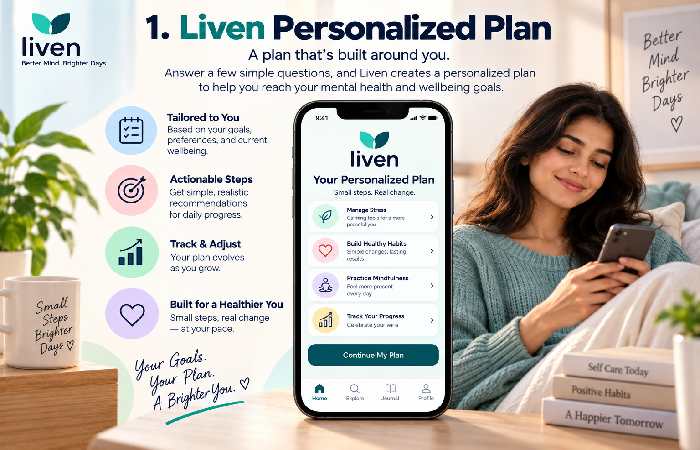 en app is the individualized plan. As you begin the app you answer an initial evaluation and the topics discussed there: goals, obstacles, interests, etc.. Using those responses, the app will build a structured path for you. Instead of opening the app without knowing what you need to do, you will be provided with lessons and activities tailored for your chosen path.
The Journey can include:
- Short lessons
- Practical exercises
- Reflection activities
- Self-discovery content
- Progress tracking
- Activities related to your selected goals
Liven says its plans are designed with input from licensed therapists and behavioral psychologists and use approaches including CBT and other evidence-informed methods.
Why this feature matters
A personalized plan can be particularly useful for beginners because it reduces the amount of planning you have to do yourself.
Rather than downloading a collection of unrelated self-improvement tools, you get a starting point and a sequence of activities to follow.
2. Liven Mood Tracker
The Liven mood tracker is designed to help users record how they feel and identify patterns over time.
You can log your overall mood and then select specific emotions. Liven also lets you add context, including where you were, who you were with, and what you were doing.
This makes it more detailed than simply selecting a happy or sad emoji.
For example, after several weeks you might notice that:
- Your energy drops after poor sleep
- Certain situations repeatedly cause stress
- Some activities improve your mood
- Particular environments affect how you feel
- Certain emotions appear more frequently than others
The app’s Mood Timeline allows users to look at patterns across weekly, monthly, and yearly periods.
Best for: People who want to become more aware of emotional patterns.
3. Liven Guided Journal
The Liven guided journal gives users a place to write down thoughts, emotions, and experiences.
If you don’t know what to write, Liven can provide a suggested question or prompt. You can also start writing freely.
One useful aspect is that the Journal can be accessed after using the Mood Tracker, allowing you to add more context to a mood entry.
For example:
Mood: Frustrated
Journal: “I felt frustrated after spending most of the afternoon switching between tasks. I kept checking my phone and couldn’t finish what I started.”
Writing this down may make the underlying pattern easier to recognize than simply recording “bad mood.”
Best for: People who want guided reflection without maintaining a separate notebook or journaling app.
4. Liven Habit Tracker and Daily Tasks
While Liven isn’t simply a traditional habit-tracking app, its Tasks feature can help users organize small actions and routines.
The current Liven experience emphasizes smaller, repeatable actions rather than trying to completely change your lifestyle overnight. Its daily tasks can help turn an insight from a lesson or journal entry into something practical.
For example, instead of setting an enormous goal such as:
“Become more productive.”
You could turn it into smaller actions:
- Spend 10 minutes planning tomorrow
- Complete one important task before checking social media
- Take a short break after a focused work session
- Write down one thing that caused distraction
Liven’s current goal-tracking approach also connects goals with mood check-ins and reflection.
Best for: People who want structure without an overly complicated productivity system.
5. Liven AI Companion: Livie
The Liven AI companion, called Livie, is one of the app’s more distinctive features.
Livie is designed to provide conversational support when users want to talk through an experience, reflect on their emotions, find motivation, or think about a difficult situation.
According to Liven, Livie can help with areas such as:
- Procrastination
- Motivation
- Understanding emotions
- Sleep-related habits
- Goal setting
- Building small habits
- Reflecting on difficult situations
Livie is available through the Companion section and is designed to be available around the clock.
However, there is an important distinction to understand.
Livie is not a therapist and does not diagnose medical or mental-health conditions. It is designed for supportive reflection and everyday guidance rather than clinical care.
Best for: People who prefer talking through an issue rather than only writing about it.
6. Liven Tests and Self-Assessments
Another major Liven feature is its collection of self-discovery tests.
These assessments can cover subjects related to areas such as:
- Stress
- Focus
- Motivation
- Emotional intelligence
- Personality
- Behavioral patterns
The purpose is to give users another way to think about their current habits and experiences.
The important word here is self-assessment.
These tests shouldn’t be interpreted as medical diagnoses. If you are concerned about a health condition, a qualified healthcare professional is the appropriate person to speak with.
Best for: Users who enjoy quizzes and want additional insight into their habits or behavioral patterns.
7. Liven Sounds
Liven Sounds are audio files designed to complement the following uses: Unwinding, Focusing. The sounds currently found within this feature’s materials include nature audios and Binaural-beat files which can be used for a wide variety of uses including: focusing, relaxing, unwinding, sleeping. The feature of “Sounds” may be appealing for learners and users of the application who do not wish to read a lesson or do a written assignment. For example, an audio file of relaxing sounds might play during a brief pause while a user is trying to relax while focusing focused audios may play during times the user is trying to concentrate.
8. Explore: Courses, Articles, and Videos
The Explore section is designed for users who want to learn beyond their personalized plan.
Liven says the recommendations can adapt based on your progress, completed lessons, and the skills you’re currently working on.
The Explore area can include themed collections covering topics such as:
- Procrastination
- Work-life balance
- Relationships
- Parenting
- Stress
- Personal growth
- Emotional well-being
The content can include articles, videos, and practical guidance.
This makes Explore more of a resource library than a simple news feed.
9. Liven Profile and Progress Tracking
The Profile section brings your activity together.
It can show information such as:
- Streaks
- Completed lessons
- Mood history
- Emotional patterns
- Consistency
- Frequently recorded feelings
The Mood Breakdown area allows users to view their mood history across different time periods, while the Top Reasons section helps identify contextual factors connected to emotional experiences.
This is useful if you’re someone who tends to forget how much progress you’ve made.
Rather than relying on memory, you can look back at your activity and see how consistently you’ve been using the app.
10. Optional Liven Coaching
Liven also offers human coaching separately from its AI companion.
The coaching service connects users with certified coaches for more personalized support. According to Liven, coaching can involve private one-to-one communication around topics such as stress, burnout, relationships, habits, and feeling stuck.
This is different from Livie.
| Support | Livie | Coaching |
|---|---|---|
| Type | AI companion | Human coach |
| Availability | Designed for 24/7 access | Depends on coaching arrangement |
| Conversation | AI-based | Human |
| Personalized guidance | Yes | Yes |
| Clinical therapy | No | No |
| Main purpose | Reflection and everyday support | More personalized guidance |
Liven also states that Livie and coaching can be separate paid add-ons depending on the subscription arrangement.
How Liven’s Features Work Together
The most interesting thing about Liven isn’t necessarily any single feature.
It’s the way the tools can be connected.
For example:
Mood Tracker → Journal → Livie → Task → Progress
You might notice that you’re feeling stressed through the Mood Tracker.
You can then write about the situation in the Journal.
If you’re still unsure what is causing the stress, you can discuss it with Livie.
You can turn the resulting insight into a small task or routine.
Later, you can return to your Profile and see whether the pattern changes.
This creates a basic loop:
Notice → Reflect → Understand → Act → Review
That is where Liven differs from a basic checklist or standalone mood tracker.
Liven Features Compared With a Basic Habit Tracker
| Feature | Liven | Basic Habit Tracker |
|---|---|---|
| Habit/task tracking | ✓ | ✓ |
| Mood tracking | ✓ | Sometimes |
| Journaling | ✓ | Sometimes |
| Self-assessments | ✓ | Rare |
| AI companion | ✓ | Rare |
| Guided learning | ✓ | Rare |
| Personalized plan | ✓ | Sometimes |
| Emotional pattern tracking | ✓ | Limited |
| Relaxation sounds | ✓ | Rare |
| Human coaching | Optional | Rare |
If your only requirement is checking off habits, a simple tracker may be enough.
But if you want to combine habits, mood, journaling, learning, and self-reflection, Liven provides a much broader toolkit.
What Do Users Seem to Like About Liven’s Features?
Current review coverage points to several recurring themes.
Users and reviewers commonly highlight the app’s mood tracking, journaling, guided activities, Livie, and the convenience of having several tools in one place. Independent review coverage also points to subscription and pricing as areas prospective users should understand before signing up.
Liven’s own platform currently reports more than 5 million downloads worldwide, while its U.S. App Store listing shows 4.5/5 from 52K ratings.
These numbers show substantial adoption, but ratings and review counts don’t prove that the app will work equally well for every user.
Are All Liven Features Included in the Subscription?
Not necessarily.
Liven’s current support documentation says some services can be offered as separate add-ons, particularly Livie and one-to-one coaching.
Pricing can also vary based on factors such as location, device, and subscription type. Liven’s current 2026 pricing information says its plans can range from weekly to annual options, with offers varying by user and platform.
Before subscribing, check:
- What your base subscription includes
- Whether Livie is included
- Whether coaching is included
- Trial length
- Renewal price
- Renewal date
- Cancellation method
This is particularly important if you are signing up through an app store.
Are Liven App Features Worth Using?
That depends on what you’re looking for.
Liven may be a good fit if you want:
- Guided self-discovery
- Mood tracking
- Journaling prompts
- Small daily tasks
- Self-assessment tools
- An AI companion
- Educational content
- Several wellness tools in one place
A different app may suit you better if you want:
- A completely free habit tracker
- Advanced project management
- Detailed productivity analytics
- Professional therapy
- Clinical diagnosis or treatment
Liven’s strength is its all-in-one approach rather than being the most specialized tool in any one category.
Final Verdict on Liven App Features
The most important lesson from the existing Live app features is that Liven is definitely not just another habit tracker.
The current array of features that it offers are personalized plan, Mood Tracker, Journal, tasks and routines, self-assessments, Sounds, Explore content, Profile analysis, Livie AI buddy, and live coacing, an additional purchase option.
As a beginner, the simple way to begin the app is to pick one focus habit and implement the personalized plan and integrate witheither Mood Tracker or Journal. After you find your comfort level with using either the Journal or Mood Tracker, you may want to interact with Livie, Sounds, Tests and the rest of its contents.
It’s a tool to lead oneself to a path of self discovery and wellness and definitely not a tool to replace medical or mental help.
Frequently Asked Questions
What is the Liven app main features?
Main features includes personalised plans, moods tracking, Journaling, everyday task,self-assessments, Sounds, Explore contents, progress tracking, Livie AI tool and coached options (optional).
Does the Liven App have a mood tracker?
Yes, LivenMoodTracker. Users can record, select desired emotions, specify why he or she feels that way and view emotion trends over time.
Does the Liven app have a journal entry guided tool?
Yes, LivenJournal provides a guided prompts and allow to fill it also freely. Journal can also be accessed by LivenMoodTracker.
Does the Liven app have a habit tracking tool?
While it provides tools to develop routines and tasks, Liven is more extensive than a mere habit tracking app, which include moods, reflection, learning and self-discovery.
What is Livie on Liven App?
Livie is an AI-powered assistant within Liven. While it offer support through conversational guidance and reflections,it’s NOT an actual medical advisor and thus is unable to provide or accept the responsibilities of any diagnoses.
Does Liven App offer tailored paths?
Yes. The app creates personal guided journeys through teachings, tasks and exercises, tailored according to what was provided when the user onboarded the app.
Does Liven App offer human coaches?
Yes. The Liven app has the optional one-on-one coaching that professional, certified coaches offer. It doesn’t include coaching by the Livie AI.
Is Liven App free?
Liven App is free for download. However to use certain features, payment or subscription plans are used to get them enabled. There can be add-ons and price changes depending on the platform or region, and trial periods might be available.
Can the Liven App diagnose me with an illness?
No, self-assessments available on Liven app or its smart coach Livie cannot be substituted for professional therapy or diagnose any mental health issues.