Last Updated: July 1, 2026
Introduction
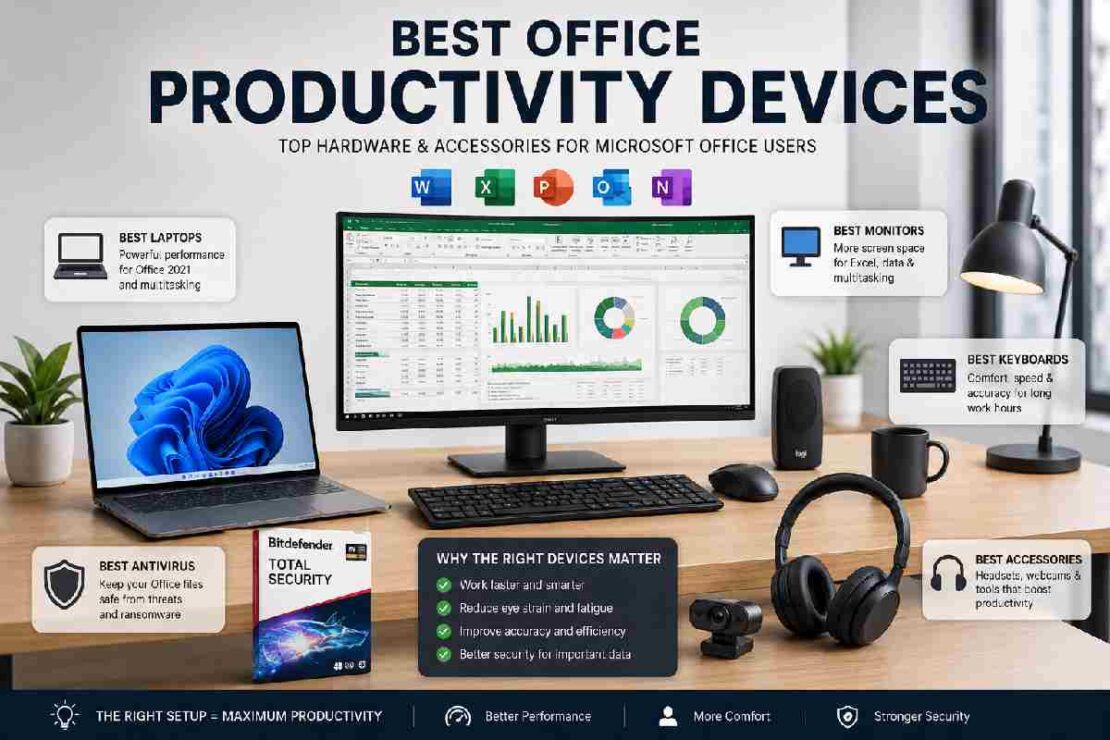
If you spend hours every day using Microsoft Word, Excel, PowerPoint, Outlook, or Office 2021 applications, choosing the right hardware can dramatically improve your productivity. The best office productivity devices help you work faster, reduce eye strain, improve multitasking, and create a more comfortable workspace.
In 2026, professionals, students, remote workers, and business owners are increasingly investing in optimized Office workstations rather than relying solely on software upgrades. Whether you’re managing large Excel spreadsheets, creating presentations, or attending virtual meetings, the right hardware setup can save hours every week.
This guide covers the best laptops, monitors, keyboards, and security tools for Microsoft Office users while helping you build the ultimate productivity workstation.
This Article Is Part of the Software Resource Hub
Explore more software guides, application reviews, installation tutorials, troubleshooting tips, and productivity resources inside our
Software Resource Hub.
Why Hardware Matters for Microsoft Office Users
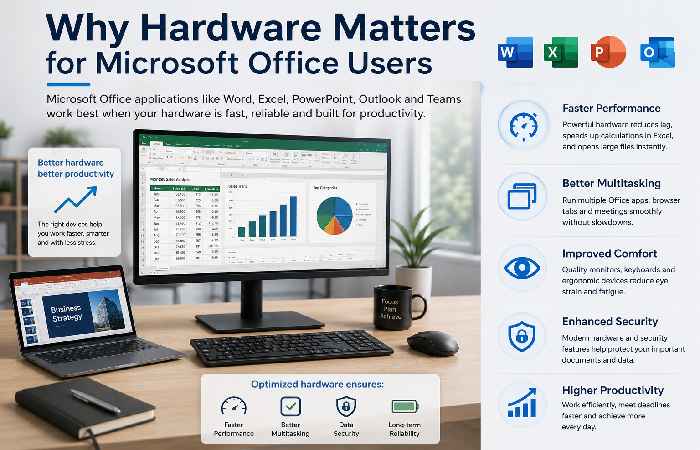
Microsoft Office applications have become more powerful than ever. Large Excel files, AI-powered Office features, Teams meetings, and cloud synchronization require modern hardware.
Benefits of Using Productivity-Focused Devices
- Faster spreadsheet calculations
- Better multitasking performance
- Improved typing speed
- Reduced eye fatigue
- Enhanced remote collaboration
- Better data security
Comparison Table: Best Office Productivity Devices (2026)
| Category | Best Choice | Best For | Price Range |
|---|---|---|---|
| Laptop | Microsoft Surface Laptop 7 | Professionals | $$$ |
| Budget Laptop | Acer Aspire 5 | Students | $ |
| Monitor | Dell UltraSharp U2725QE | Excel Users | $$ |
| Keyboard | Logitech MX Keys S | Office Productivity | $$ |
| Antivirus | Bitdefender Total Security | Office PCs | $ |
Best Laptops for Microsoft Office Work
A laptop remains the foundation of every productive Office setup.
1. Microsoft Surface Laptop 7
Pros
- Excellent battery life
- Fast performance
- Optimized Windows experience
- Premium keyboard
Best For
Business professionals who use Word, Excel, Teams, and Outlook daily.
2. Lenovo ThinkPad X1 Carbon
Pros
- Industry-leading keyboard
- Durable design
- Enterprise-grade security
Best For
Heavy Office users and corporate employees.
3. Dell XPS 13
Pros
- Compact design
- Powerful processor
- Excellent display quality
Best For
Remote workers and frequent travelers.
Best Budget Laptops for Students
Students often need affordable devices that can run Microsoft Office smoothly.
Acer Aspire 5
Key Benefits:
- Affordable pricing
- Good battery life
- Reliable performance
ASUS Vivobook 16
Key Benefits:
- Larger display
- Excellent value
- Suitable for Excel and PowerPoint projects
Student Laptop Comparison
| Laptop | RAM | Storage | Ideal Use |
| Acer Aspire 5 | 16GB | 512GB SSD | Everyday Office Tasks |
| ASUS Vivobook 16 | 16GB | 512GB SSD | Assignments & Projects |
| HP Pavilion 15 | 16GB | 512GB SSD | Presentations & Research |
Best Monitors for Excel Users
Large spreadsheets require screen space.
Dell UltraSharp U2725QE
Why Excel Users Love It:
- 4K resolution
- Excellent color accuracy
- Large workspace
LG UltraFine 32UN650
Benefits:
- Bigger screen
- Multiple windows simultaneously
- Reduced scrolling
Monitor Comparison
| Monitor | Size | Resolution | Productivity Rating |
| Dell UltraSharp U2725QE | 27″ | 4K | 9.8/10 |
| LG UltraFine 32UN650 | 32″ | 4K | 9.5/10 |
| Samsung ViewFinity S8 | 27″ | 4K | 9.4/10 |
Best Keyboards for Office Productivity

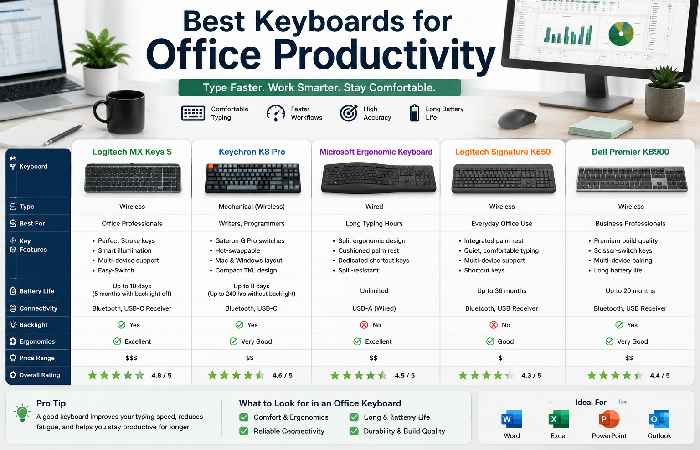
Typing speed directly affects productivity.
Logitech MX Keys S
Why It Stands Out:
- Comfortable low-profile keys
- Backlit design
- Multi-device support
Keychron K8 Pro
Best For:
- Mechanical keyboard enthusiasts
- Long typing sessions
Keyboard Comparison
| Keyboard | Type | Battery Life | Productivity Score |
| Logitech MX Keys S | Wireless | 10 Days | 9.8 |
| Keychron K8 Pro | Mechanical | 8 Days | 9.5 |
| Microsoft Ergonomic Keyboard | Wired | Unlimited | 9.3 |
Best Antivirus for Office PCs
Productivity means nothing if your files are compromised.
Bitdefender Total Security
Best Features:
- Real-time protection
- Ransomware defense
- Minimal system impact
Norton 360 Deluxe
Best Features:
- VPN included
- Identity protection
- Cloud backup
Antivirus Comparison
| Antivirus | Protection | Performance Impact | Rating |
| Bitdefender | Excellent | Low | 9.8 |
| Norton 360 | Excellent | Medium | 9.6 |
| ESET Internet Security | Very Good | Low | 9.4 |
Recommended Productivity Setup (2026)
Entry-Level Setup
- Acer Aspire 5
- 24-inch monitor
- Logitech wireless mouse
- Microsoft Office 2021
Professional Setup
- Surface Laptop 7
- Dell UltraSharp 27-inch 4K Monitor
- Logitech MX Keys S
- Bitdefender Security Suite
Power User Setup
- ThinkPad X1 Carbon
- Dual 4K monitors
- Mechanical keyboard
- Ergonomic chair
- Office 2021 Professional Plus
Troubleshooting Common Productivity Issues
Excel Running Slowly
Possible Solutions:
- Increase RAM
- Disable unnecessary add-ins
- Use SSD storage
Office Apps Freezing
Fixes:
- Update Office
- Repair installation
- Check antivirus conflicts
Slow Startup Times
Solutions:
- Remove startup applications
- Upgrade to SSD
- Update Windows drivers
Frequently Asked Questions
What is the best laptop for Microsoft Office in 2026?
The Microsoft Surface Laptop 7 remains one of the best options due to its performance, battery life, and seamless Windows integration.
Do I need a 4K monitor for Excel?
Not necessarily, but a 4K monitor significantly improves visibility when working with large spreadsheets.
Which keyboard is best for Office work?
The Logitech MX Keys S is widely considered one of the best keyboards for productivity and Office applications.
Is antivirus necessary for Office users?
Yes. Antivirus software protects important documents, spreadsheets, and business data from malware and ransomware attacks.
Can budget laptops run Microsoft Office efficiently?
Absolutely. Modern budget laptops with 16GB RAM and SSD storage can handle Word, Excel, PowerPoint, and Outlook without issues.
Conclusion
The best office productivity devices in 2026 go beyond simply owning a laptop. A complete productivity ecosystem includes a reliable computer, a quality monitor, an efficient keyboard, and strong security software.
Whether you’re a student creating assignments, an analyst working in Excel, or a professional managing presentations and meetings, investing in the right hardware can dramatically improve efficiency and comfort.
By combining the recommendations in this guide with Microsoft Office 2021, you’ll create a workstation designed for maximum productivity, better focus, and long-term performance.