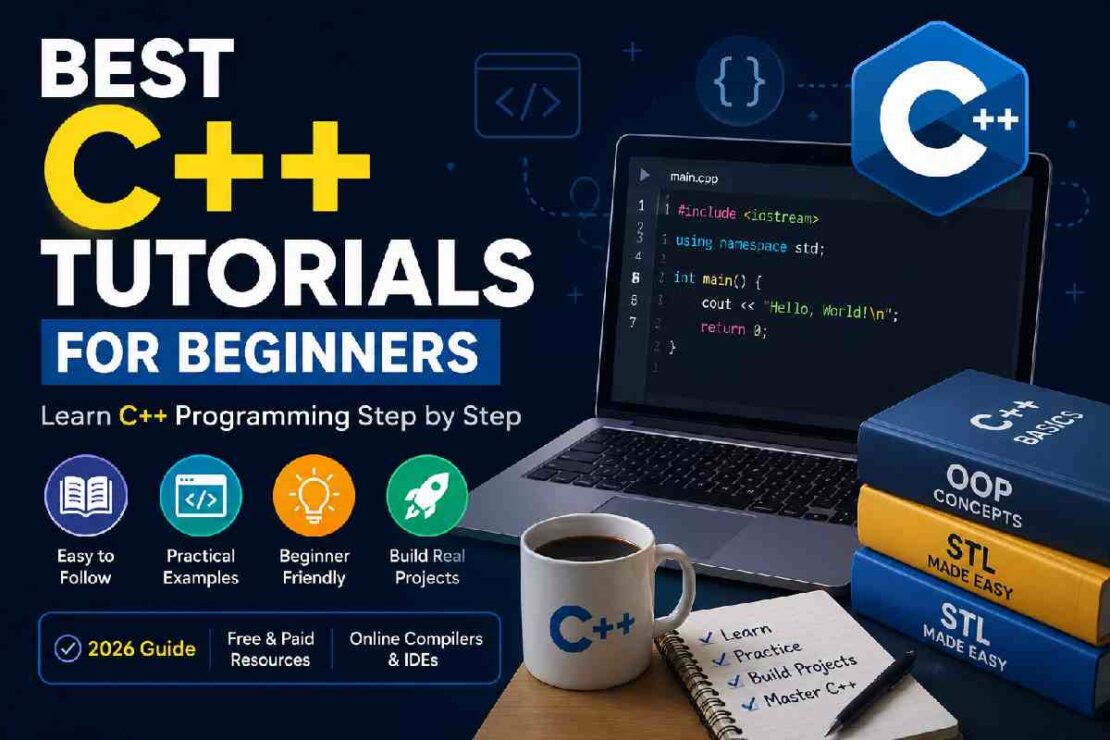
If you’re looking for C++ beginner tutorials, you need more than a laundry list of syntax rules and requirements. Instead, you want a learning plan with an introduction, example code, a guide to get the basics down, and direction on how to write actual programs without tearing your hair out at the compiler. The benefit is that you can begin learning C++ with free resources, and there is a variety of excellent C++ tutorials that are up to date with the latest version.
C++ is a prevalent program for game development, operating system development, in-browser clients, browser engines, for use in high performance software, and everywhere performance is a priority.
As of writing, C++23 is the latest standard on paper and work has begun on C++26. The tutorials in this guide compare some of the most popular options for learning C++ to set you on a real C++ progression path from zero to beginner projects.pyth
What Is C++?

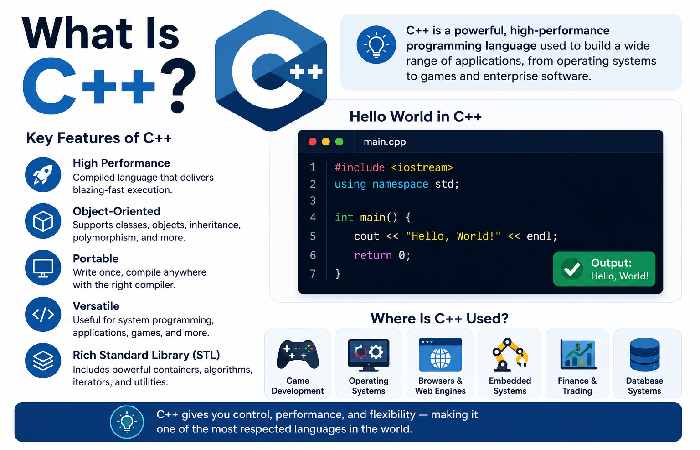
- C++ was created by Bjarne Stroustrup to write a high-level static based object oriented programming language. C++ can write high-level code as that offered by many other languages such as “classes” and also provide the low-level machine code required for extensive low-level programming. Variables and data types
- Operators
- Input and output
- Conditions
- Loops
- Functions
- Arrays and strings
- References and pointers
- Classes and objects
- Standard Template Library (STL)
Best C++ Tutorials for Beginners Compared
| Tutorial | Best For | Interactive Practice | Cost | Difficulty |
|---|---|---|---|---|
| LearnCpp | Complete structured learning | Limited | Free | Beginner → Advanced |
| W3Schools | Quick beginner lessons | Yes | Free + optional certification | Beginner |
| GeeksforGeeks | Examples and broad coverage | Yes | Mostly free | Beginner → Advanced |
| Programiz | Simple explanations | Yes/varies | Free + paid options | Beginner |
| TutorialsPoint | Reference-style learning | Yes | Free + paid options | Beginner → Advanced |
1. LearnCpp — Best for a Complete Learning Path
“If you need a set path instead of just C++ coding exercises LearnCpp is one of the most solid selections. It begins by guiding you through set up, compiling, IDEs, and the inevitable ‘hello world’ and works its way up into such concepts as variables, functions, debugging, data types, classes and so on. This course uses modern C++ for teaching and doesn’t expect prior programming knowledge.” “Best For”: “Newcomers serious about C++.”
2. W3Schools — Best for Quick Practice
The W3Schools C++ Tutorial is probably the best choice for those who like quick, explanatory paragraphs of text followed by immediately usable examples. You can even experiment and change all of its C++ examples on the browser’s own “Try it Yourself” editor, and there’s no need to install your own local code editor to get started. W3Schools offers quizzes, exercises, more examples, and progresses through C++ from beginner to more advanced topics. Best for: Complete beginners to experiment fast.
3. GeeksforGeeks — Best for Examples and Practice
This tutorial from GeeksforGeeks offers content from basics to advanced, relating to the C++ language, programming, examples and implementation of C++. Topics covered in this course include input and output operations, variables, operators, data types, object-oriented programming, etc. Best for individuals needing lots of programming examples to practice.
4. Programiz — Best for Simple Explanations
It recommends easy-to-use C++ resources for newbies and claims the tutorial itself has easy to learn chapters and abundant C++ examples for novice programmers. It even goes into the most obvious details about C++, like: Being static typed, Being a compiled language, and The hybrid between high-level and low-level. Best for: Anyone new to C++. It clearly and concisely shows the fundamentals to get you started, with many examples.
5. TutorialsPoint — Best for Broad Topic Coverage
TutorialsPoint C++ Tutorial; There are extensive topics in this tutorial, from the building blocks-like syntax and variables-to operators; then loops, functions, arrays, and strings; it also explains pointers, OOP, templates, exception handling, and threading, along with the STL on top of it all including a compiler and examples online. What we liked: A great starting point for any beginner as it has a vast amount of content that one could return to as you learn more and more about C++.
How to Learn C++ Step by Step
Don’t try to memorize it all.
This ordering should provide you with your initial steps.
Step 1. Set Up Environment
Install a C++ compiler, as well as the IDE/code editor of your choice (or, you can even practice from the first second with a browser-based compiler, if possible).
Step 2. Write Your First Program
Begin with.
#include
int main() {
std.cout << “Hello, World!”;
return 0;
}
and understand the different part: what actually #include, main(), std.cout and return 0 do in C++.
Step 3. Learn the C++ Basics
Variables, data types, operators, input, conditional statements, and loops.
Step 4. Learn about functions
Functions will guide you how to separate huge application in smaller, easily digestible bits, easily reuseable and more manageable.
Step 5. Practice with smaller projects
Try building a simple calculator, guess the number game, unit converter, simple quiz application, or grade calculator program for students.
Step 6. Introduce Yourself to OOP and STL
When the above basics are understood more or less, you should start moving with classes, objects, inheritance, data structures (vectors, map, etc), algorithms from STL, and etc.
Beginner C++ Projects to Try
Reading C++ tutorials isn’t enough. You need to write code.
Here are five beginner-friendly projects:
| Project | Skills Practiced |
|---|---|
| Calculator | Variables, operators, functions |
| Number Guessing Game | Conditions, loops, random numbers |
| Quiz Game | Strings, conditions, functions |
| Student Grade Calculator | Arrays/vectors, functions |
| Simple Expense Tracker | Classes, vectors, file handling |
These projects give you a reason to use the concepts you’re learning instead of simply copying C++ programming examples.
C++ Learning Difficulty: What Should You Expect?
Here’s a visual to help the learning curve:
Syntax
Logic
Functions
OOP
STL
Memory Management
Advanced C++
A good place to start learning is:
Basics come easy to.
The tricky stuff starts when it comes to pointers, references, ownership, templates, concurrenc etc
The message here is that when it comes to any decent course, they won’t throw a pile of advanced C++buzzwords at you on the first day.
C++23 vs. C++26: What Should Beginners Learn?
In 2026, C++23 is the newest published ISO C++ standard. C++26 is the following large update which is currently being developed/standardized.
A beginner need not fear learning all new C++23 or C++26 features right away. You should concentrate on fundamental, transferable concepts:
- Modern syntax
- RAII and resource management
- Functions
- Classes
- References
- Containers
- Algorithms
- Debugging
- Standard library usage
GCC supports C++23 through the -std=c++23 option, although compiler support varies by feature.
Troubleshooting Common Beginner Problems
“g++ is not recognized”
Your compiler may not be installed correctly or its executable may not be included in your system PATH.
“undefined reference” error
This is commonly a linking problem. Check that all required source files and libraries are being compiled and linked.
My program compiles but gives the wrong answer
Typically, this will be a logic error, rather than a syntax error. Debug it, print intermediate values, and run small parts of the program.
I understand tutorials but can’t write programs
That’s normal. Stop watching or reading for a while and build a small project from scratch. Programming improves through active practice.
Screenshot recommendation: Add a real screenshot here showing your chosen IDE with the first C++ program compiled successfully. Avoid stock screenshots; use an actual setup screenshot from the tutorial’s author workflow.
Which C++ Tutorial Should You Choose?
So, what’s the “perfect” C++ tutorial?
Well… there really isn’t one. But I recommend you choose between: 1.
LearnCpp : If you want a step by step, structured guide.
2. W3Schools: If you want a series of short lessons with an online browser example to play with immediately. 3. GeeksForGeeks : For a huge database of examples and an extra set of programming problems.
4. Programiz: If you just want clear and simple explanations.
5. TutorialsPoint: If you want a wider variety of references and also an online compiler.
Just for the love of your life – don’t try to use all five of these at the same time.
As much as you like the thought of taking all the knowledge in that way – it really is a bad approach. Pick your main tutorial, Stick to it relentlessly until you finish that one – and if you get stuck and need another explanation for something then perhaps jump on over to one of the others.
Frequently Asked Questions
Is C++ easy for beginners?
C++ will be more difficult compared to some other first programming languages, but the core concepts are perfectly manageable if you keep practicing them. First learn your C++ basics – syntax, programming logic – before diving in with pointers, memory management or advanced templates.
Can I learn C++ online for free?
Yes. You’ll find numerous well-made free C++ courses, including LearnCpp, W3Schools, and others.
Which C++ topics should I learn first?
It’s best to get started with the fundamentals – variables, data types, operators, I/O, conditional statements, loops, functions, arrays (or vectors), and strings.
How much time does it take to learn C++?
Time to learn depends on how frequently you practice, but expect a few months to learn the C++ basics. To really become proficient in modern C++ you should allocate longer time.
Should I learn C++23 or C++26?
Better first learn some C++ basics. It’s more advantageous to begin by acquiring basic knowledge in C++ modern concepts. C++23 is the last official standard, whereas C++26 is upcoming.
Final Takeaway
The best C++ tutorial for beginners consists of 4 important things – explanations, examples, practice, and a logical learning curve. Do not count out your success based on the number of tutorials you’ve completed, but whether you can write your program on an empty file without copying any source code directly from your tutorial source. Begin with absolute basic C++, make simple C++ for beginners projects, learn from mistakes, and work towards the OOP (Object-Oriented Programming), STL (Standard Template Library), memory allocation and modern C++ features as you get comfortable.
Topical content hub To make your C++ tutorial as part of an topical content hub you can link to related tutorials below.
C++ Basics For Beginners How To Install C++ compiler C++ Variables And data Types C++ Loops How to write C++ functions OOP in C++ STL in C++ C++ for Beginners projects. This linking makes C++ tutorials for beginners that not only guide from the beginning but all the way up to your first developed program, in a structured and logical way.